
Adding brokers or admins to a real estate listing streamlines collaboration and ensures everyone on your team has the right access. Here’s how to easily include team members or partners in the new Listing Team flow.
Step 1: Navigate to Step Five: Listing Team in your listing workflow.
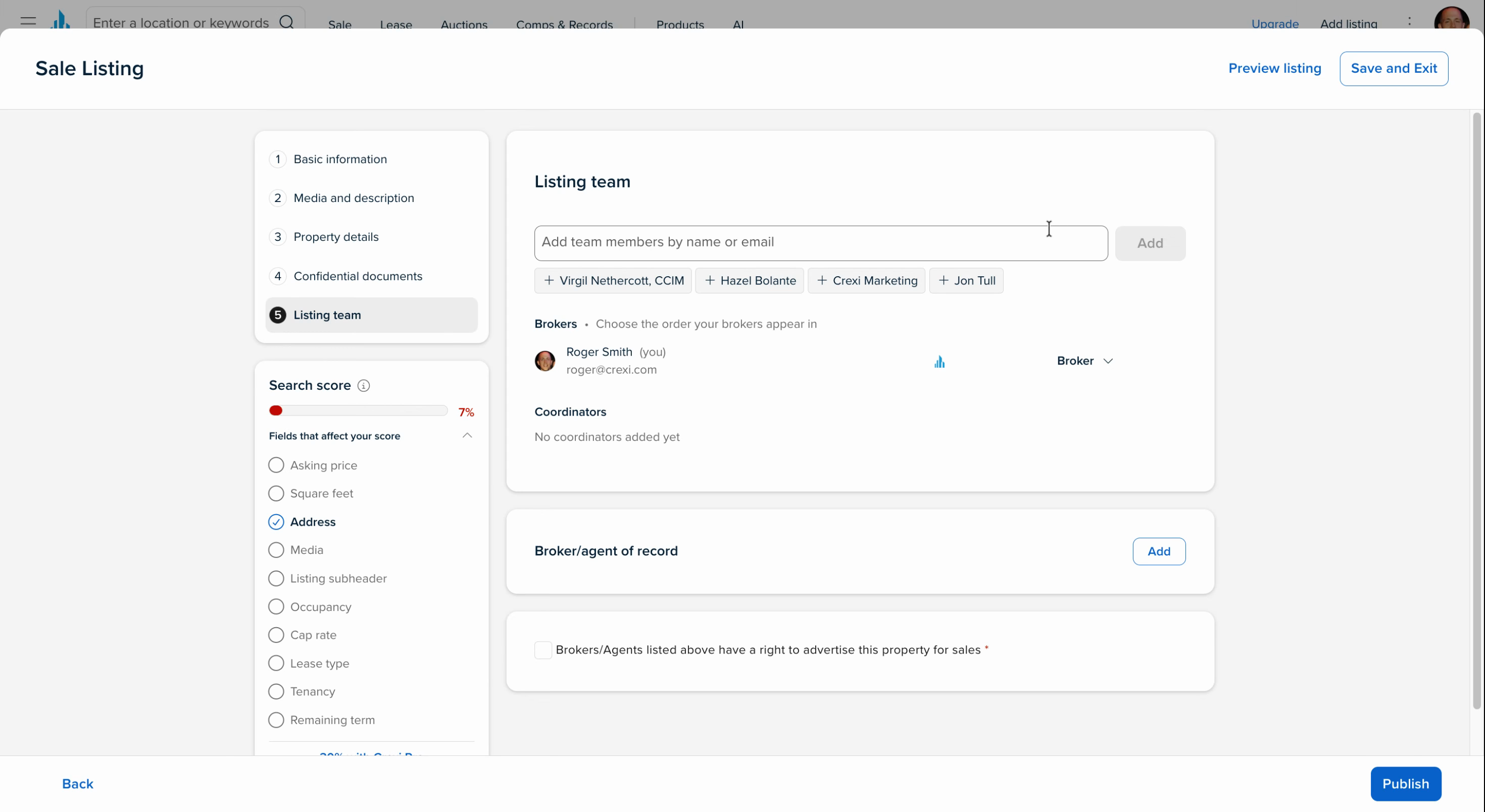
Step 2: Review the list of users you’ve worked with on other listings. If your team or partners appear, add them quickly by clicking their names.
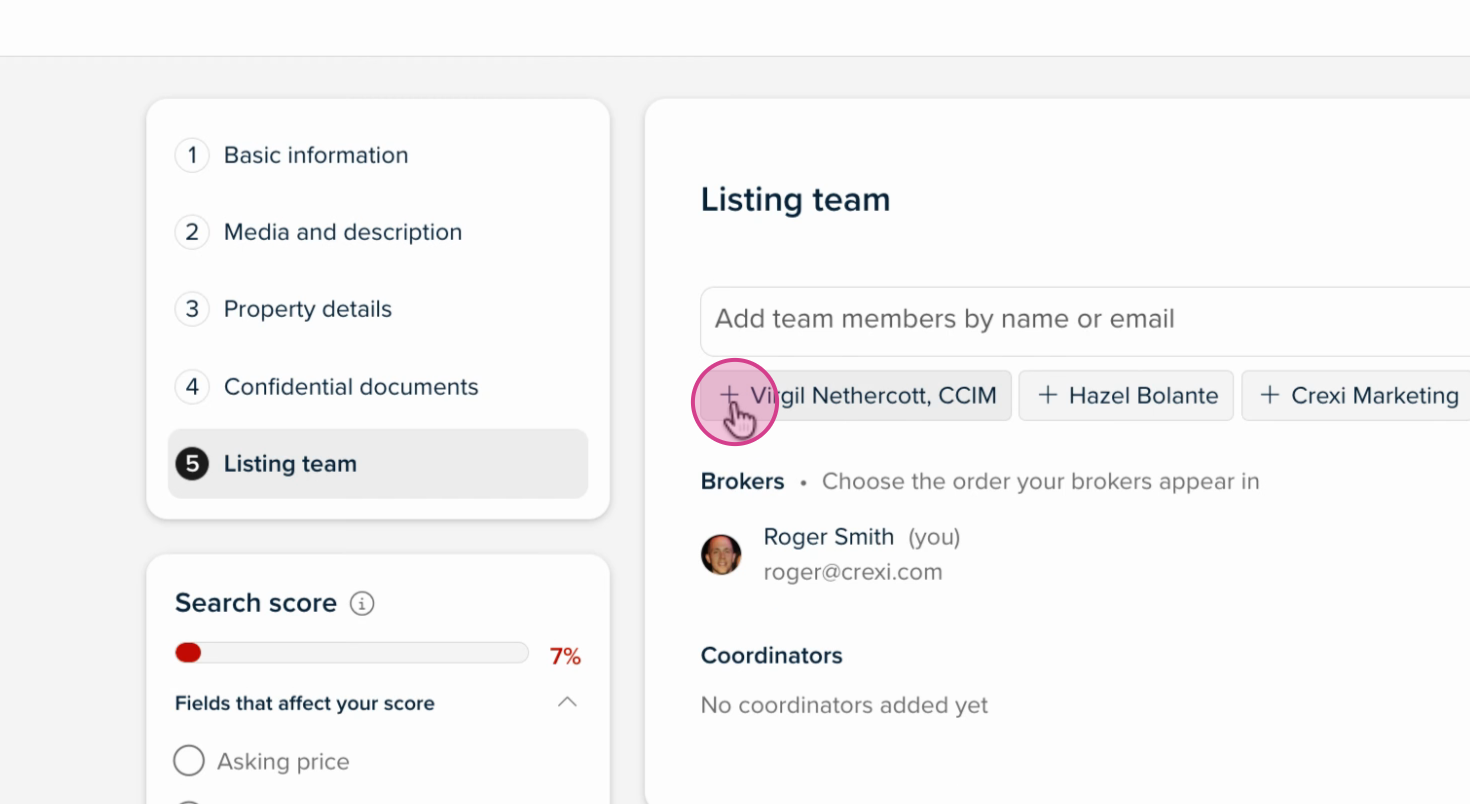
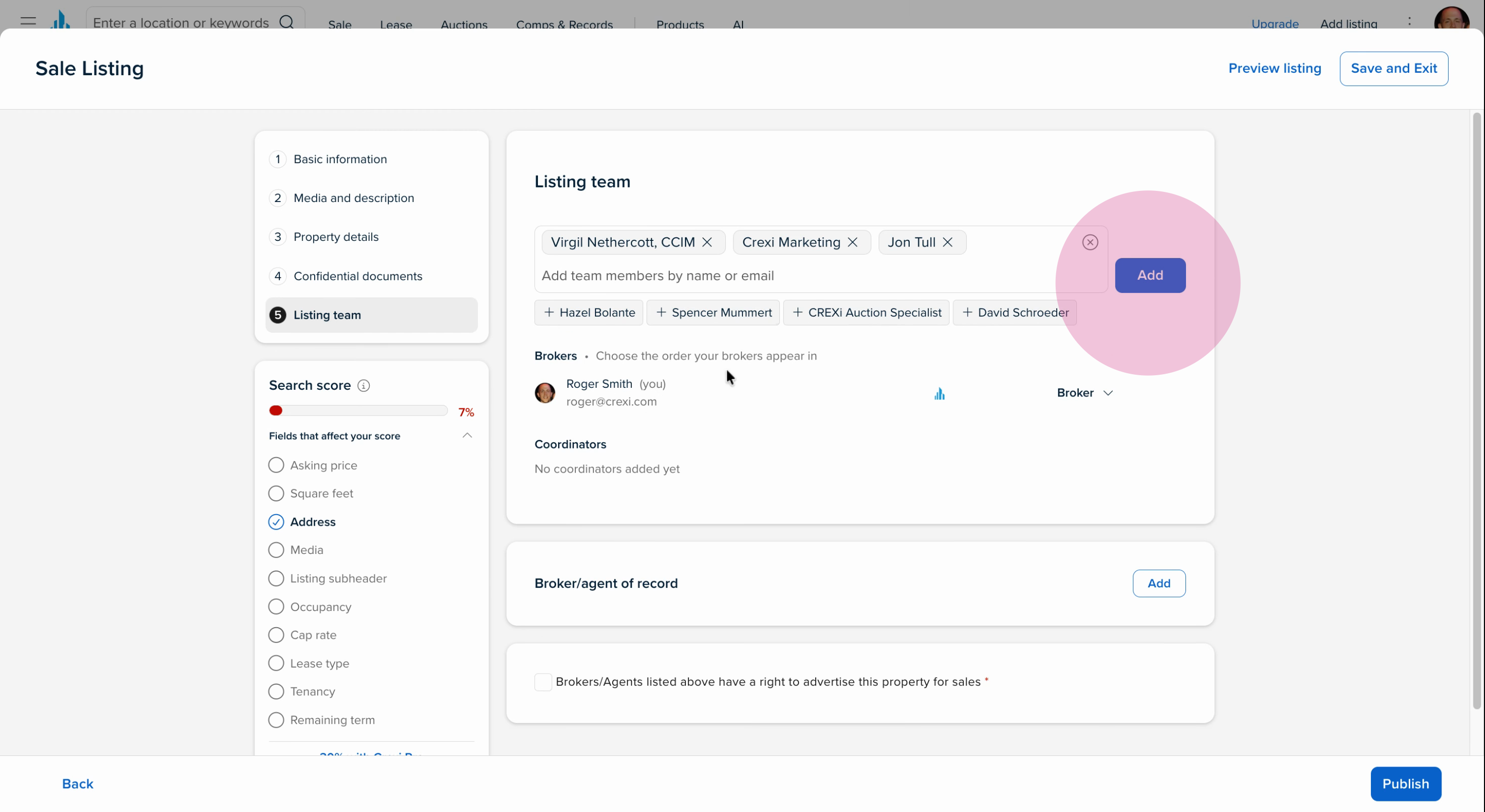
Step 3: As you add people, more users will preload in this shortcut to speed up the process.
Step 4: Once you’ve selected the right individuals, click Add.
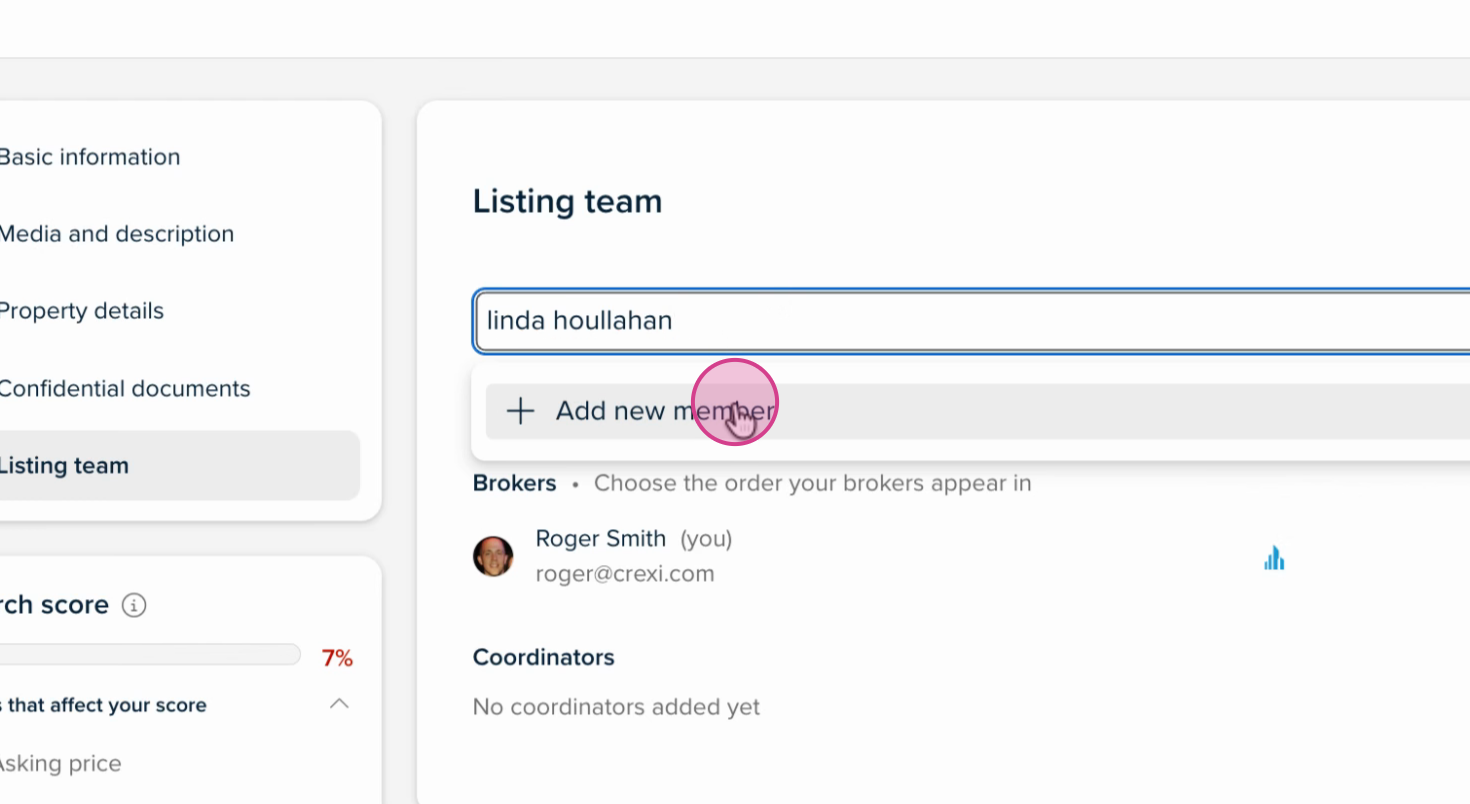
Step 5: Don’t see the person you’re looking for? Search by their name or email to find them.
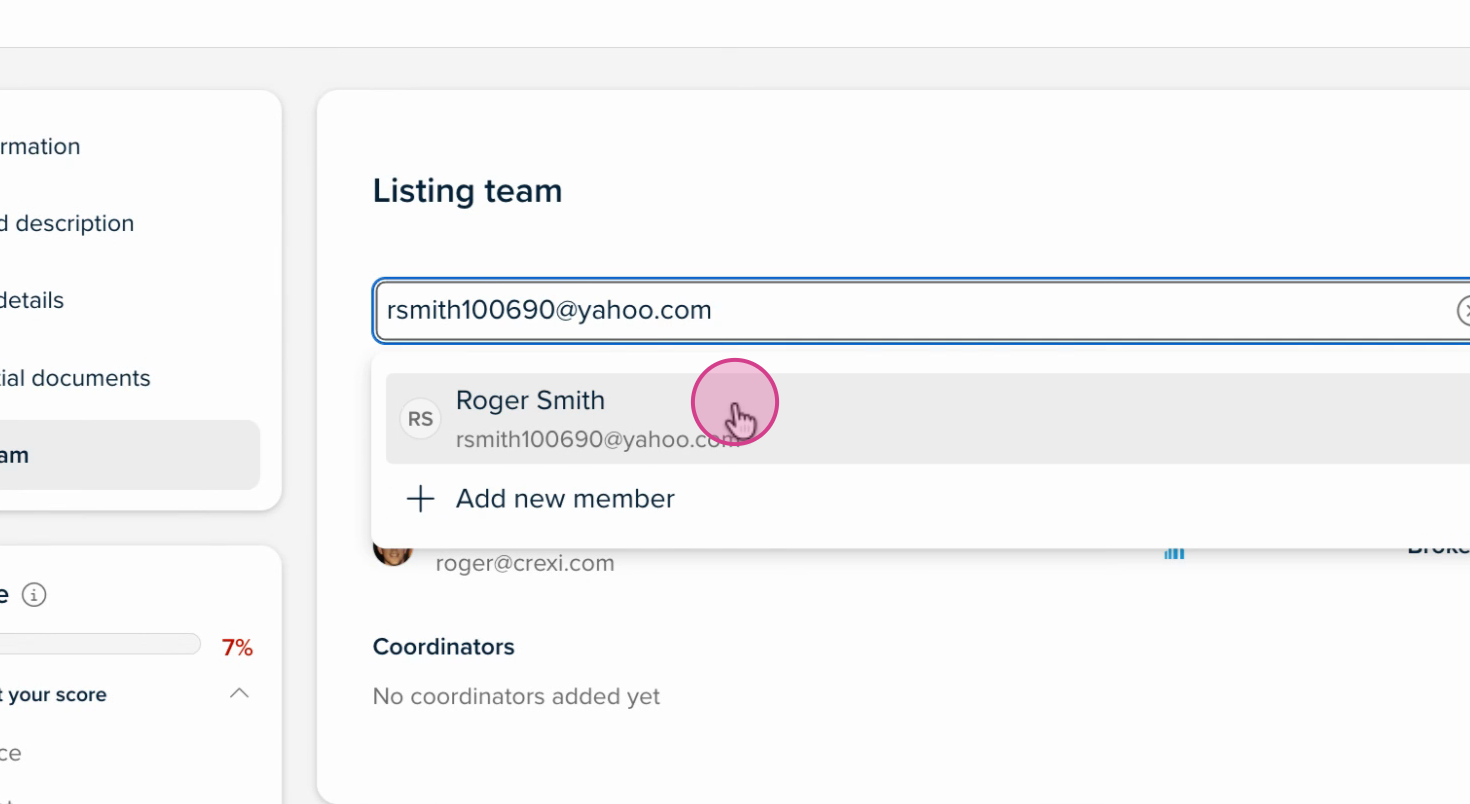
Step 6: If you need to add someone new, click Add New Member.
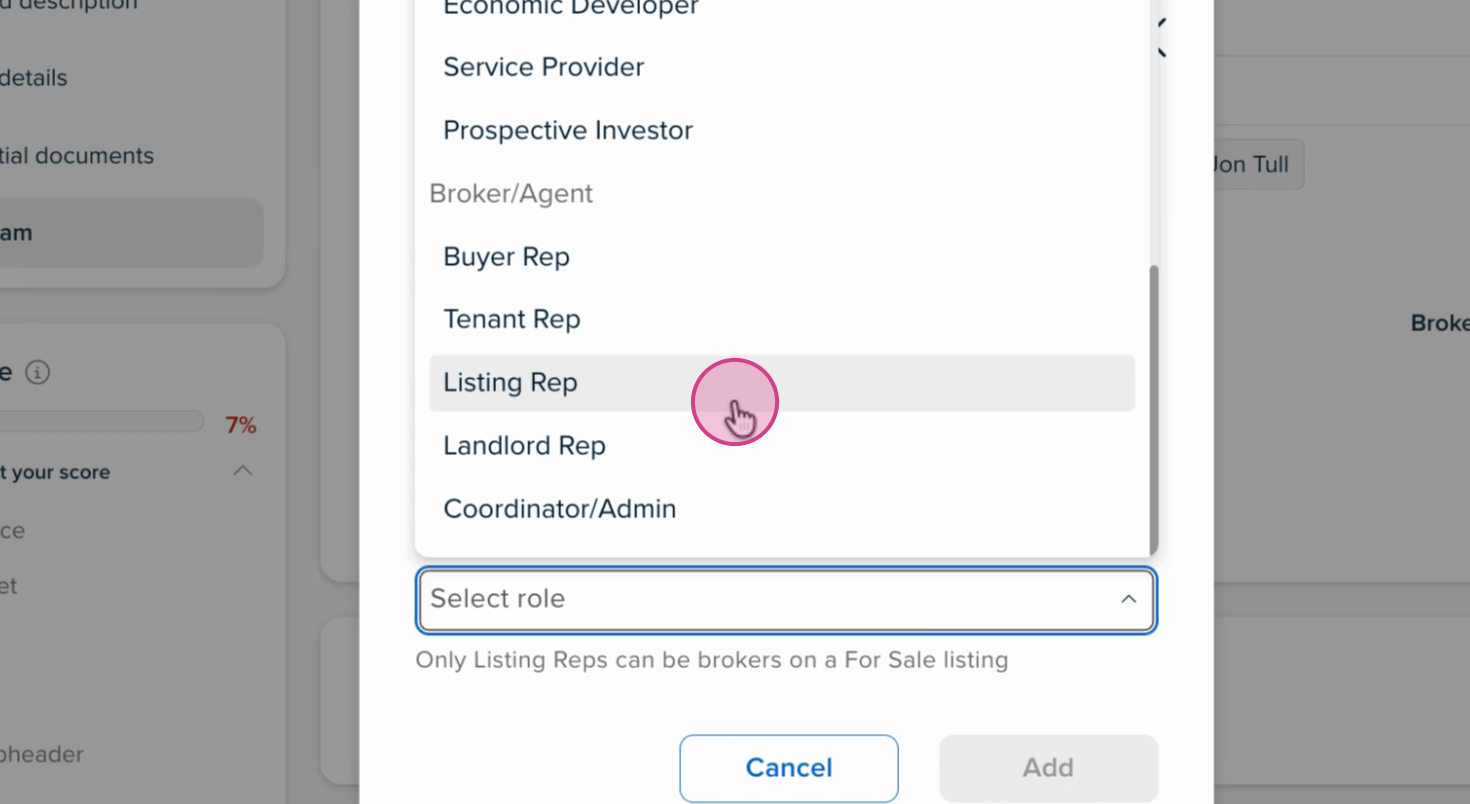
Step 7: Assign their role (e.g., listing rep/landlord rep if they are licensed brokers/agents) and fill out all necessary fields.
Step 8: If the person already has an account, their license number and industry role will automatically override what you've entered. For new members, a new account will be created with the details you provided
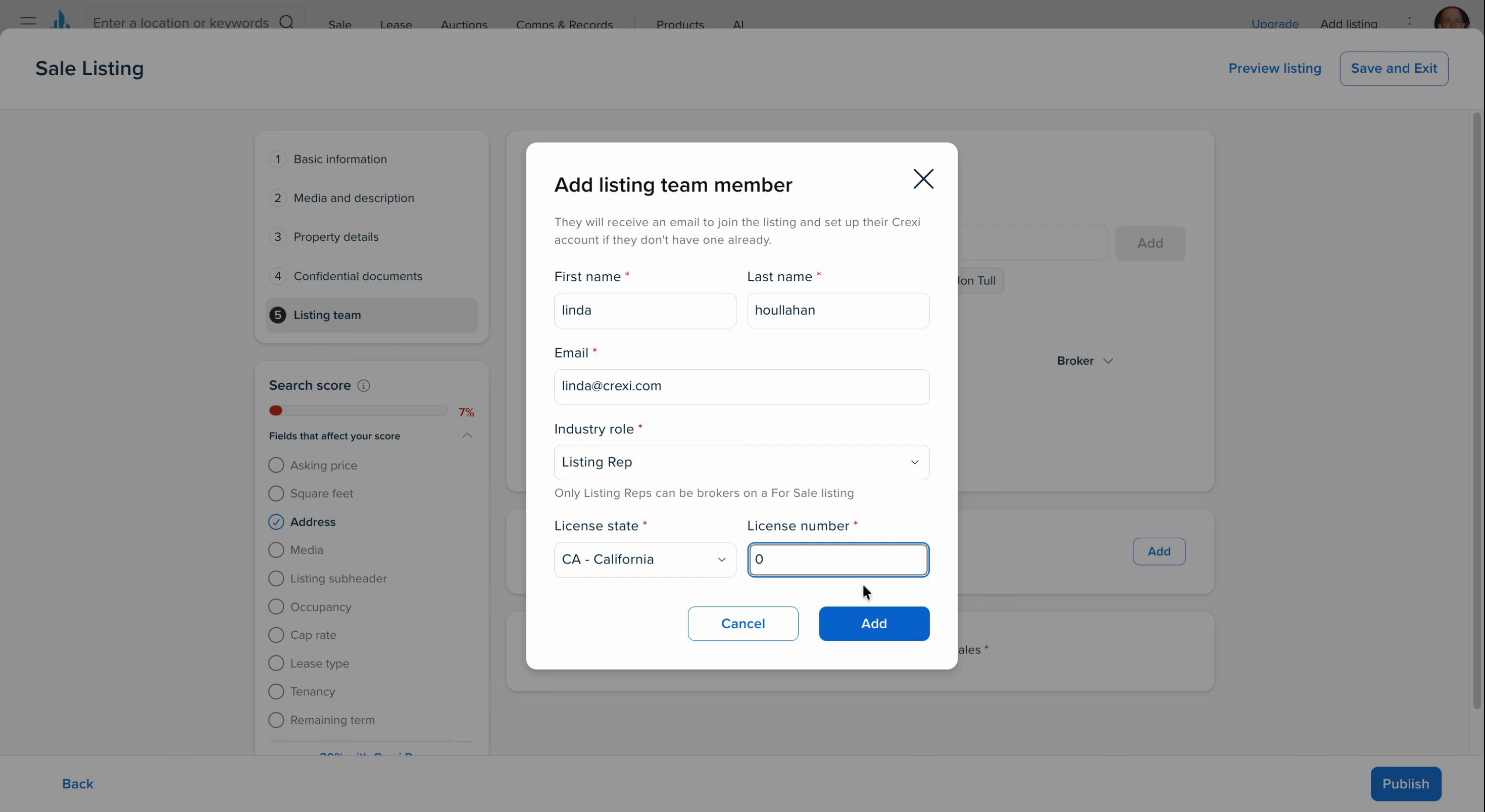
Step 9: Hit Add to send the user an email invitation.
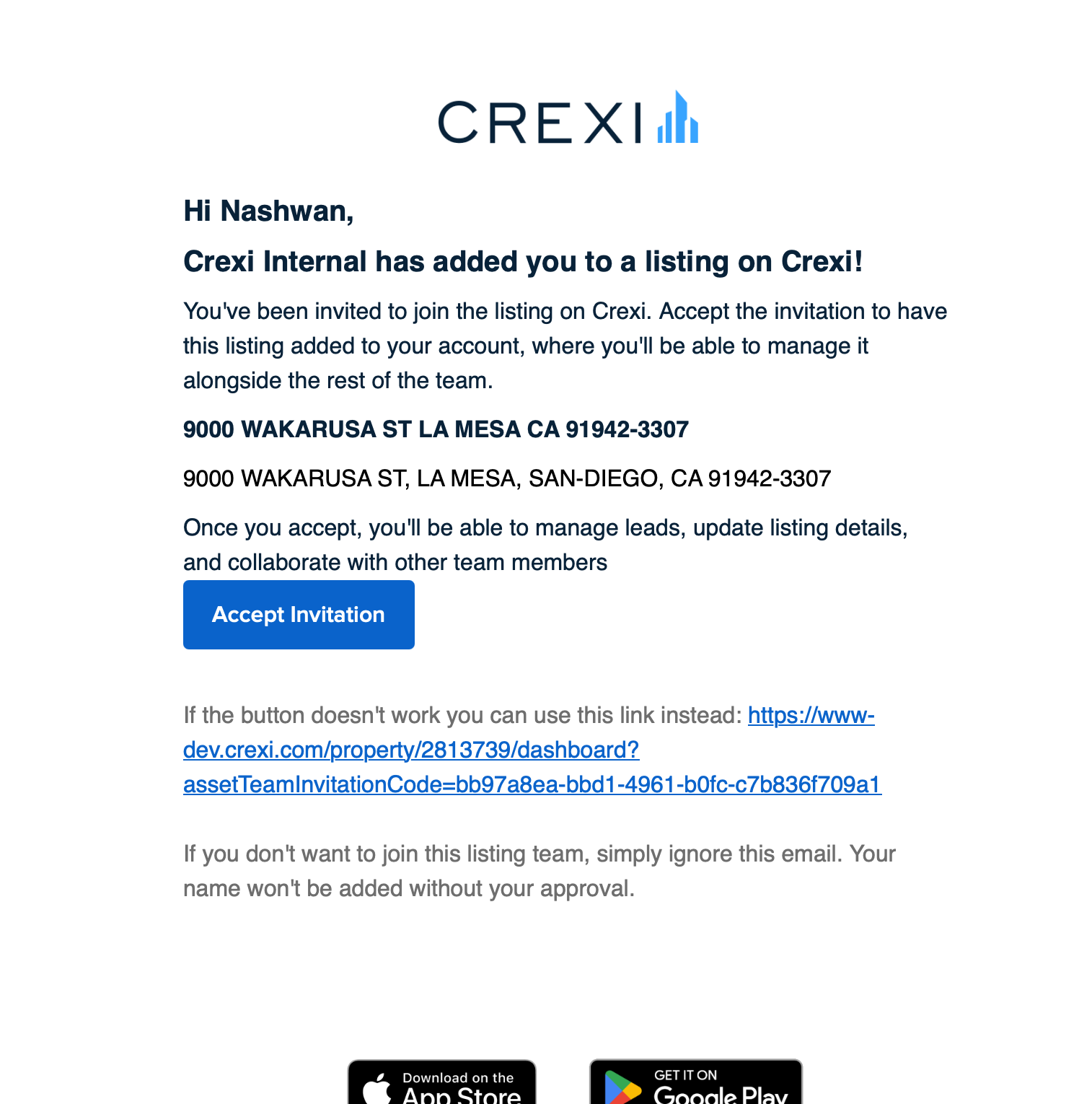
Step 10: Once they accept the invitation, they’ll be added to your listing as a team member.
Updating User Roles on a Listing
Sometimes you need to change a team member’s role after they’ve been added. Here’s how to do it:
Step 1: Locate the team member on your listing and select the Broker dropdown.
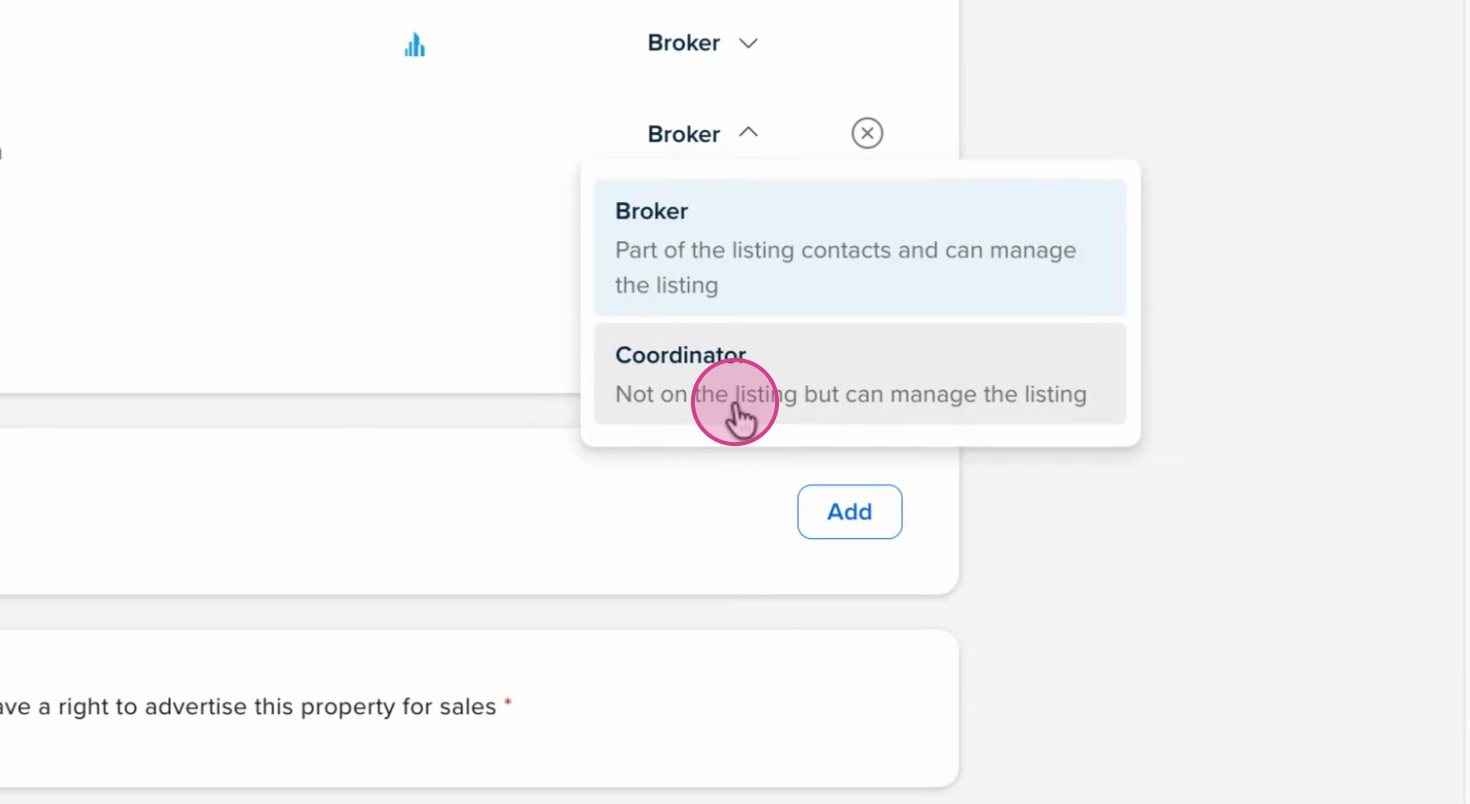
Step 2: To change their role (for example, from broker to coordinator), simply update the user’s role setting.
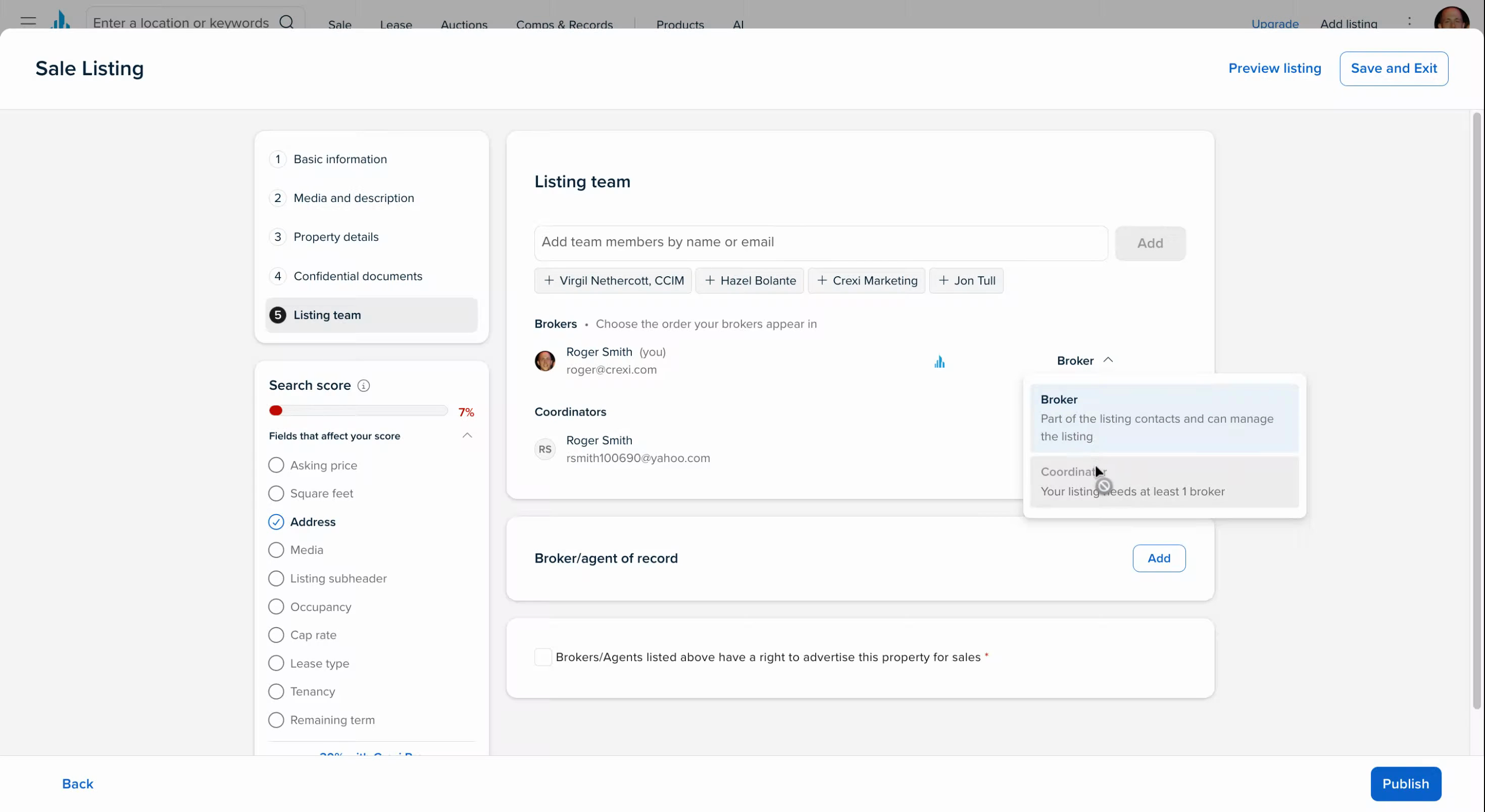
Step 3: If someone is set as coordinator and not a licensed broker, you won’t be able to click the broker toggle button.
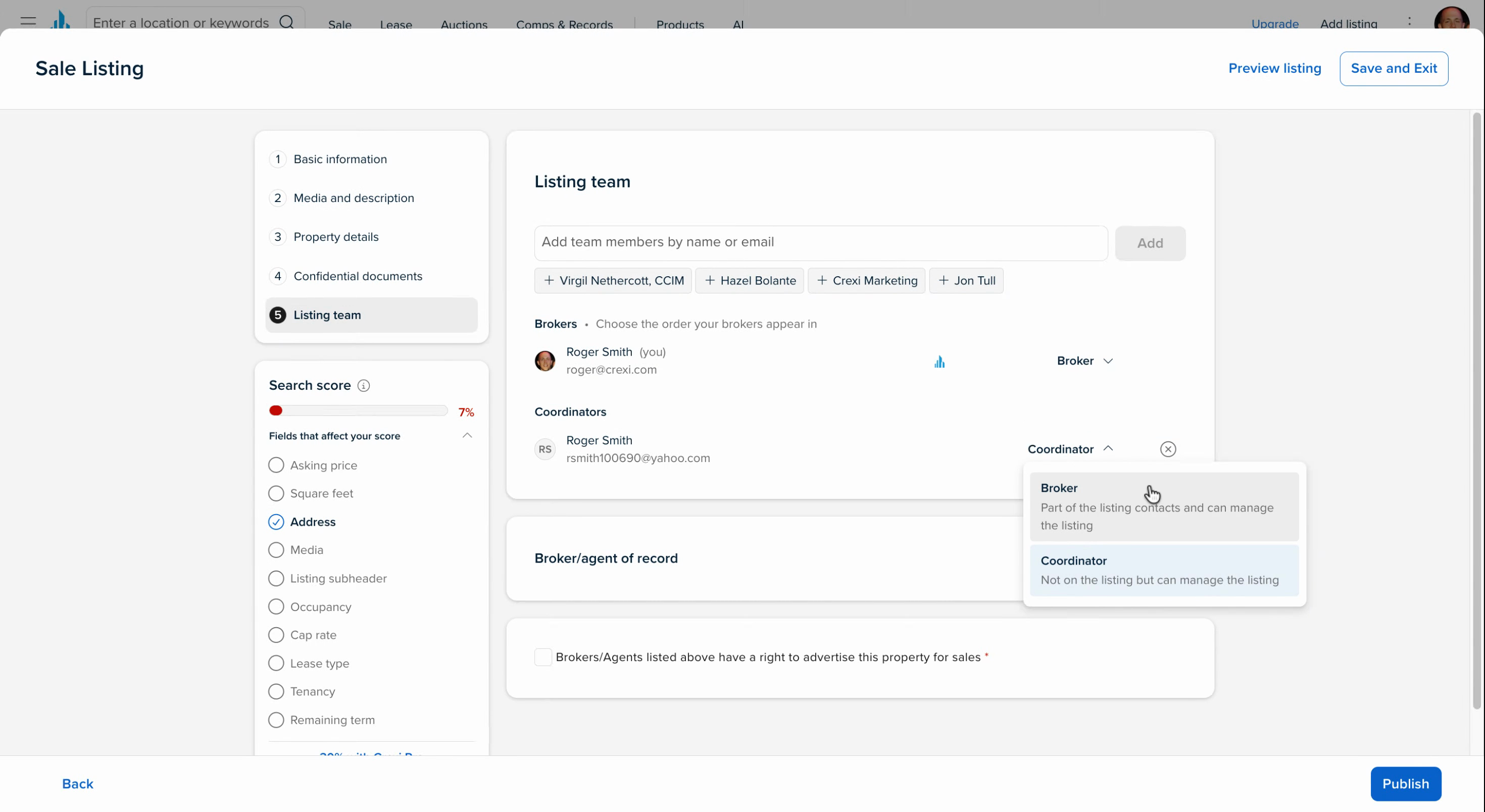
Adding team members and assigning the right roles keeps your listings organized and your entire team in sync. Use this flow to stay efficient and collaborative throughout the listing process.
If you need any further assistance, don't hesitate to reach out to us directly at support@crexi.com or 888.273.0423.