
Adding Videos
To post videos on Crexi, an embed code is needed.
Step-by-Step Instructions (YouTube video)
- Open the video: Go to YouTube on a computer web browser and navigate to the video or playlist you want to share.
- Click Share: Find the Share button (shaped like a curved arrow) directly below the video player next to the download button and click it.
- Select Embed: Click the Embed option (represented by the
<>icon) in the pop-up menu.- Copy the code: Click the Copy button in the bottom-right corner of the embed window to save the HTML
<iframe>code to your clipboard.
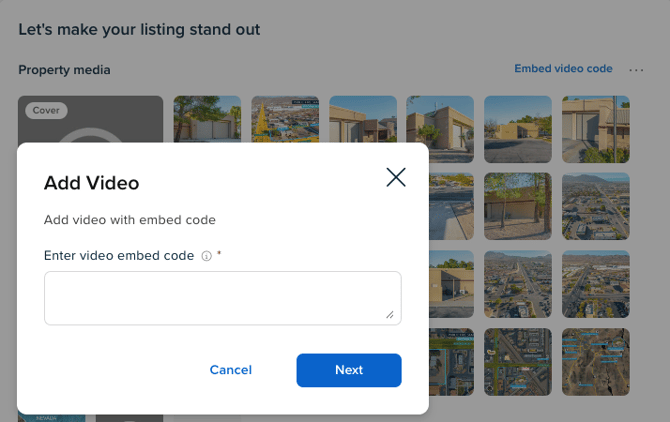
- Paste into Crexi: Paste the copied code into the media and description section within the edit listing page.
- Copy the code: Click the Copy button in the bottom-right corner of the embed window to save the HTML
If you have mp4 files you can find tools on the web to extract these codes as well or simply reach out to support@crexi.com and we can extract the codes for you!