
Crexi utilizes AI-powered bulk processing to eliminate manual property research. Upload raw address lists and instantly receive enriched property and ownership intelligence automatically matched to Crexi’s comprehensive property database. When you're ready to connect with property owners, you can unlock verified contact information using credits.
Why it Matters
Manual commercial property research doesn’t scale. One-by-one ownership lookups create bottlenecks that limit prospecting capacity and slow deal velocity. For teams working with large property lists, these inefficiencies compound quickly. Bulk Data Enrichment removes the research bottleneck by automatically validating and enhancing property and ownership data across large datasets. Once enriched, teams can unlock owner contact information at scale using flexible credits.
Key Benefits:
-
Scale Without Limits
- Process hundreds of properties in minutes. Bulk enrichment removes the research bottleneck so prospecting capacity isn't consrtained by bandwidth.
- Operational Efficiency
- Eliminate repetitive manual work. What once required extensive research effort can now be completed in minutes, cutting time spent searching for property and ownership data.
- Flexible for Any Workflow
- Bulk upload for large campaigns or single-address lookup for one-off research needs. The tool adapts to both high-volume operations and one-off needs.
- Actionable Intelligence, Fast
- Fill internal database gaps, prepare outreach campaigns, or standardize research across teams and markets. Turn raw address lists into enriched datasets in minutes.
Use Cases:
-
Bulk Address Enrichment
- Upload hundreds of properties at once for list-based workflows.
- Enriched Property Data
- Validate square footage, use type, parcel information, and other key attributes.
- Ownership & Contact Intelligence
- Receive ownership details and associated contact information.
- Centralized Exports & Tracking
- Monitor job status and download enriched datasets from a single exports hub.
- Built For Existing Workflows
- Use enriched data immediately across prospecting, analysis, and downstream Crexi AI tools.
How To Use the Data Enrichment Tool
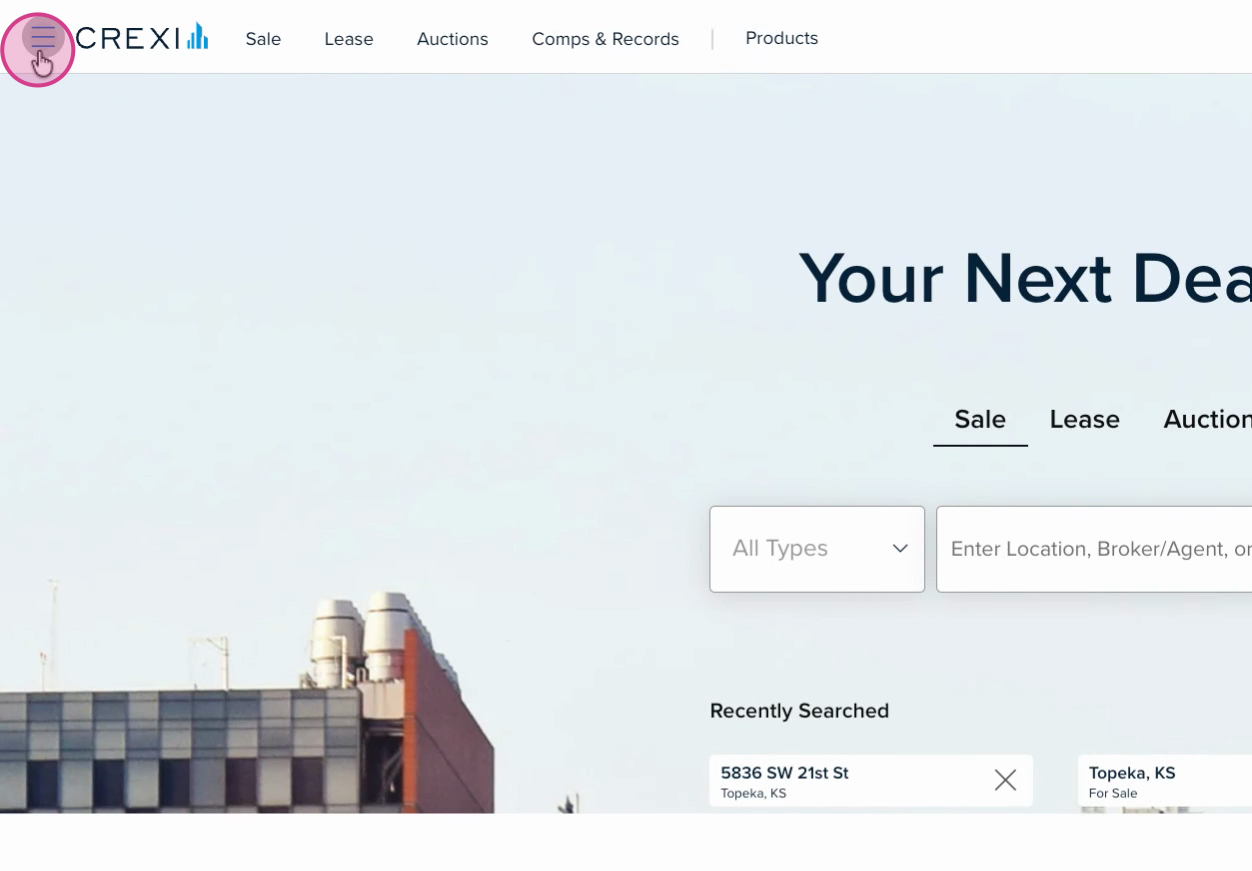
- Step 1: Click the menu button in the top left corner.
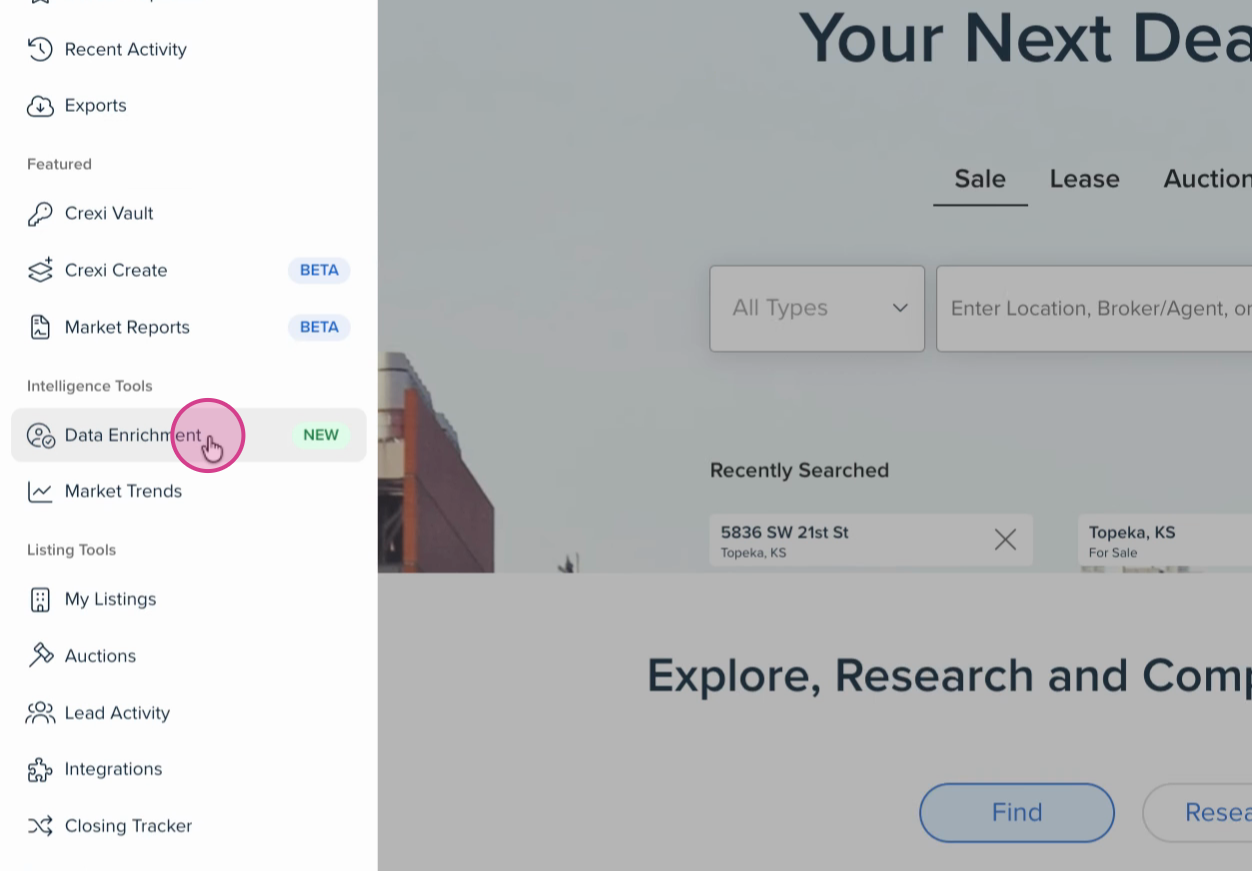
- Step 2: Under Intelligence Tools, select Data Enrichment.
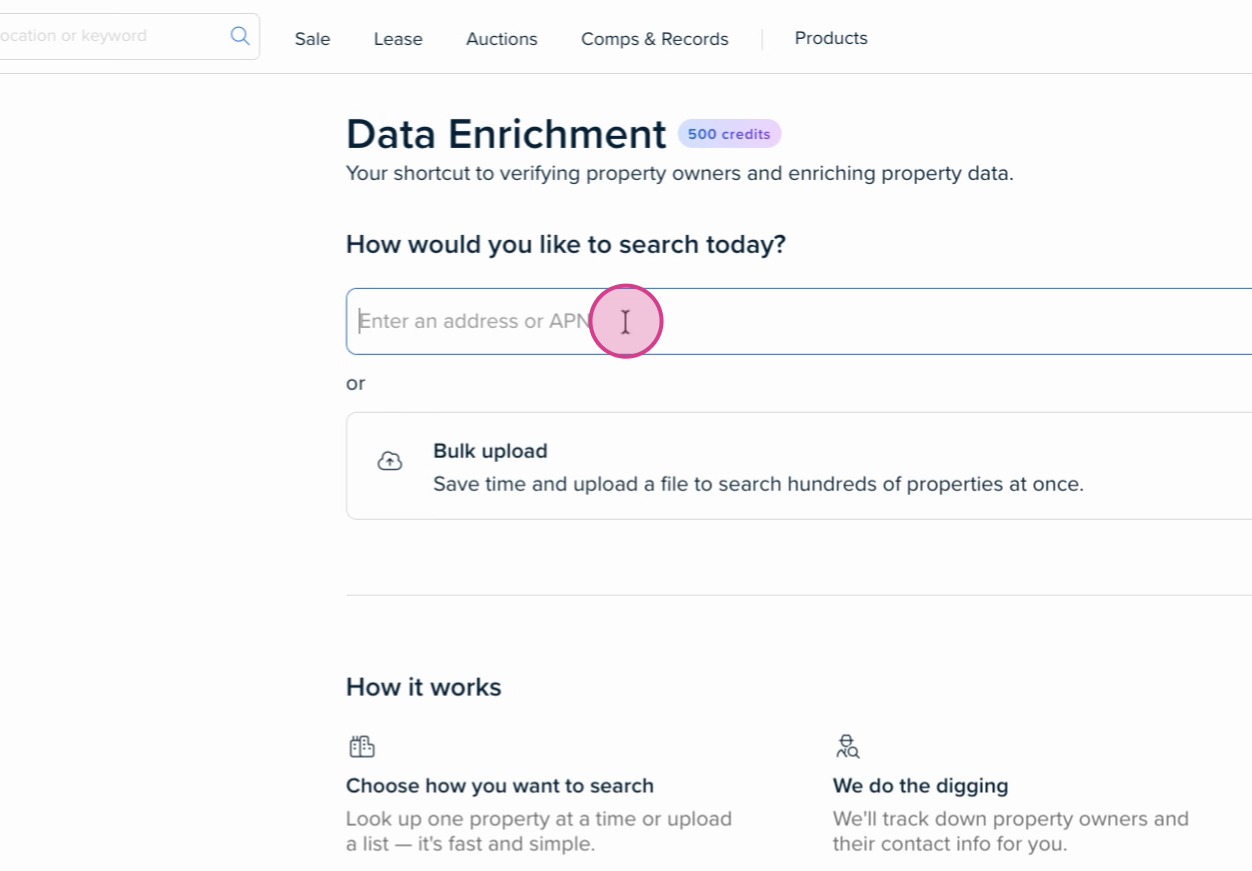
- Step 3: In the Data Enrichment page, enter an address or APN in the search bar.
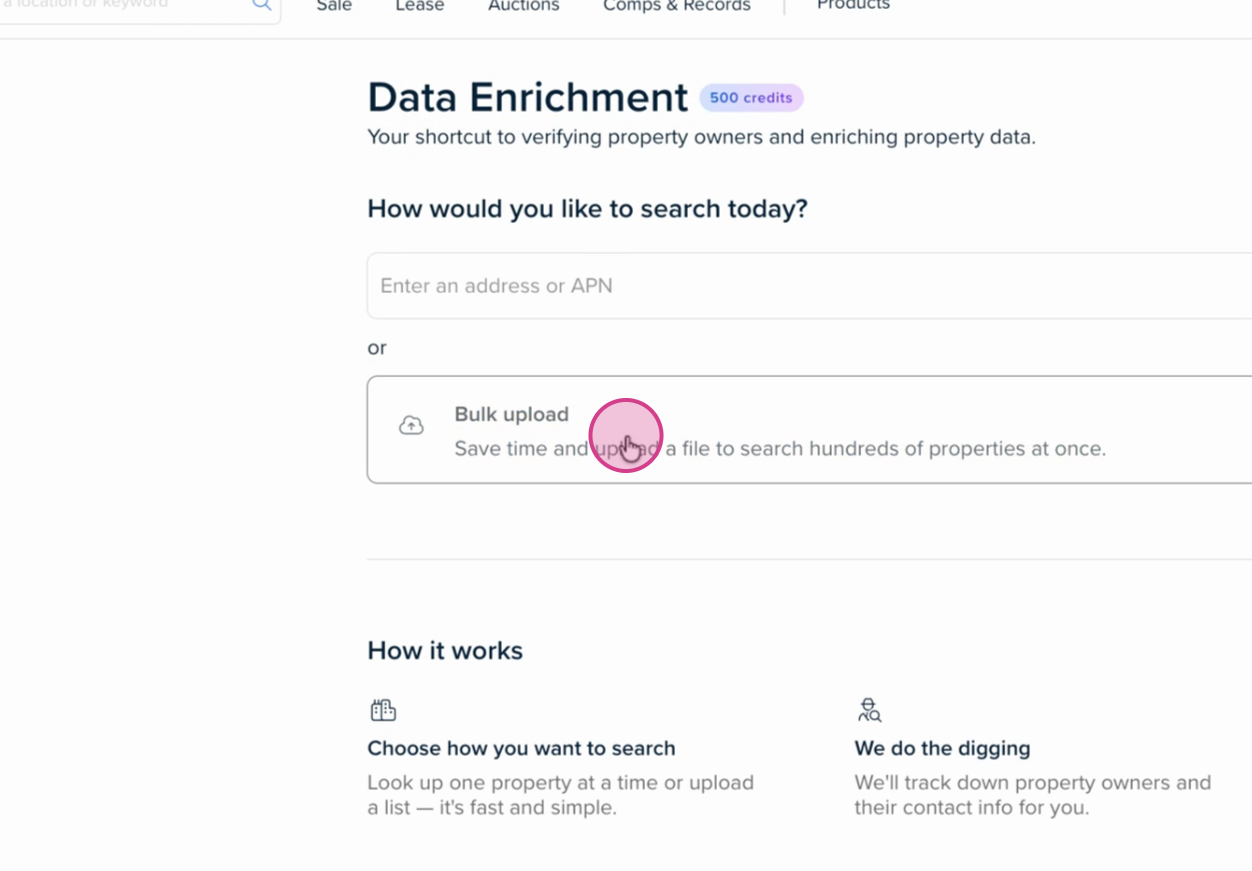
- Step 4: For bulk research, click Bulk Upload to upload a CSV or Excel file with multiple addresses or APNs.
If you need any further assistance or are interested in Crexi Pro/Intelligence, please reach out to us at support@crexi.com or 888.273.0423.