
Boost Your CREXI Search Score To Get More Listing Exposure
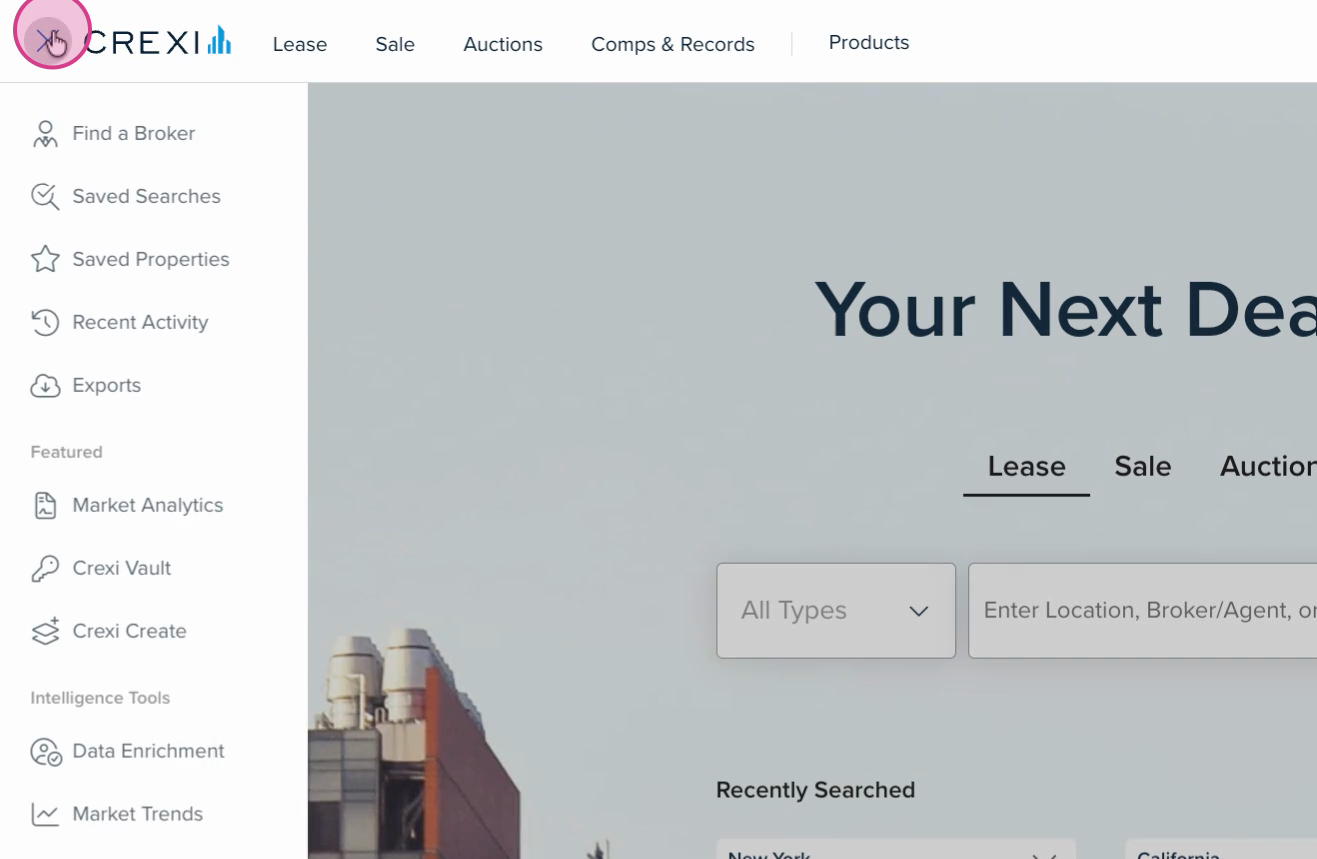
Step 1: Click the menu button in the top left corner.
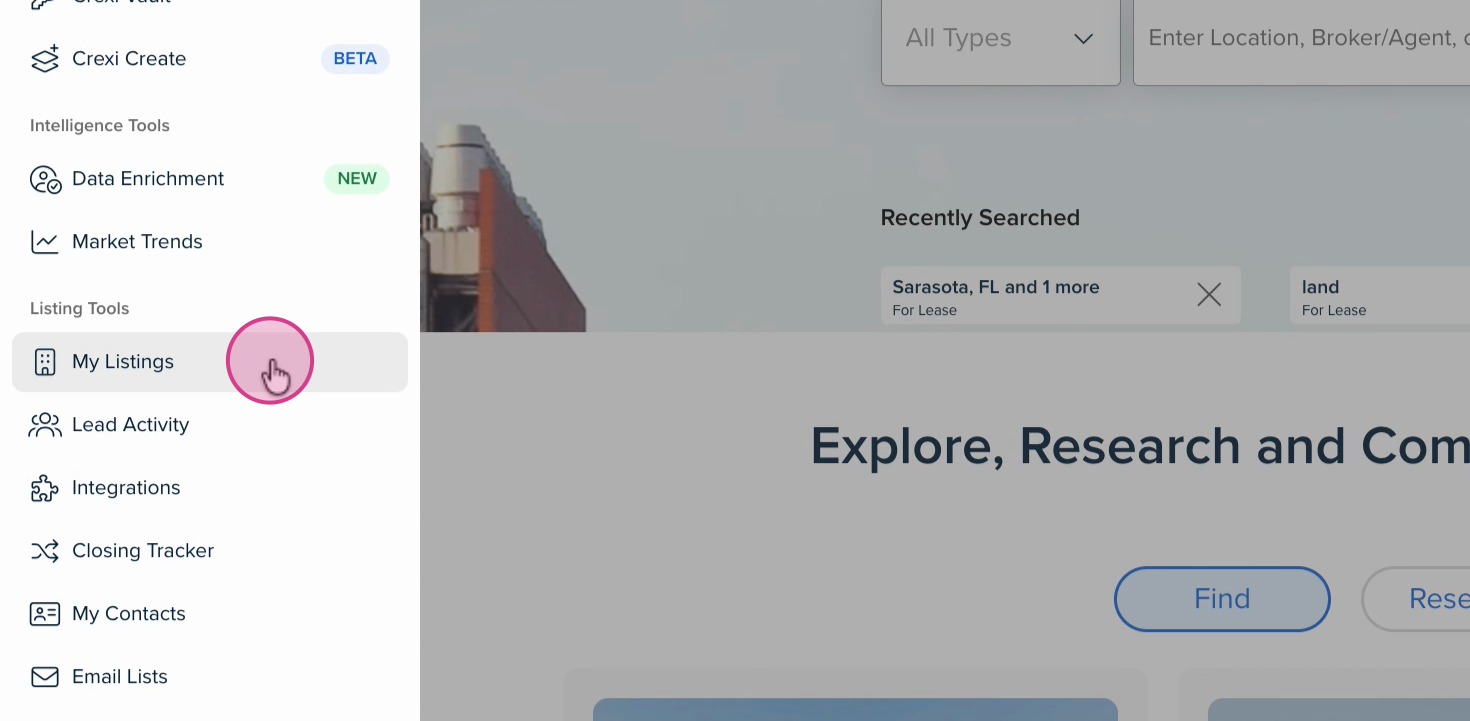
Step 2: Select My Listings from the dropdown menu.
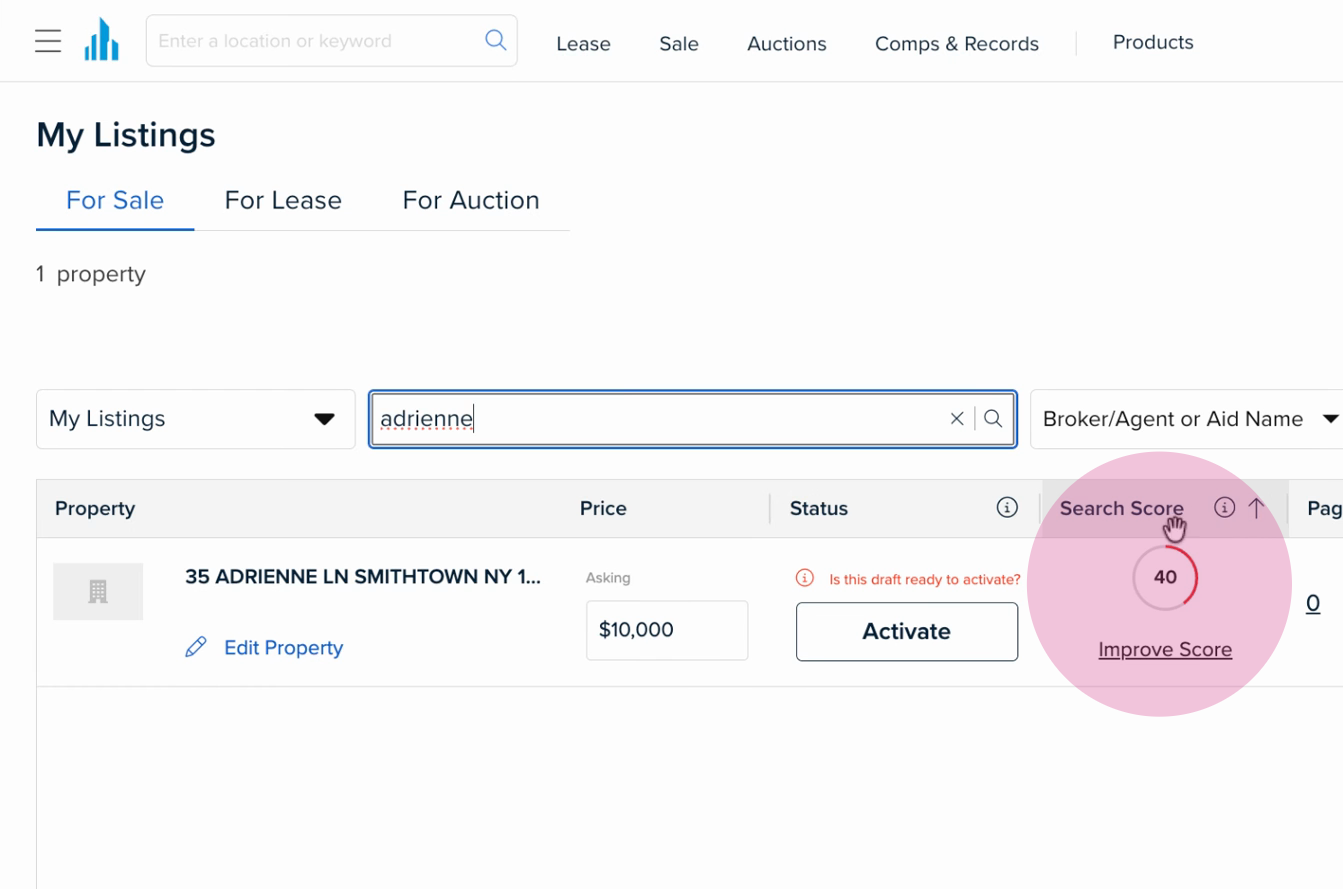
Step 3: View all your listings on the My Listings dashboard (For Sale/For Lease/Auction). Here, you’ll see the Search Score for each property. Click Improve Score.
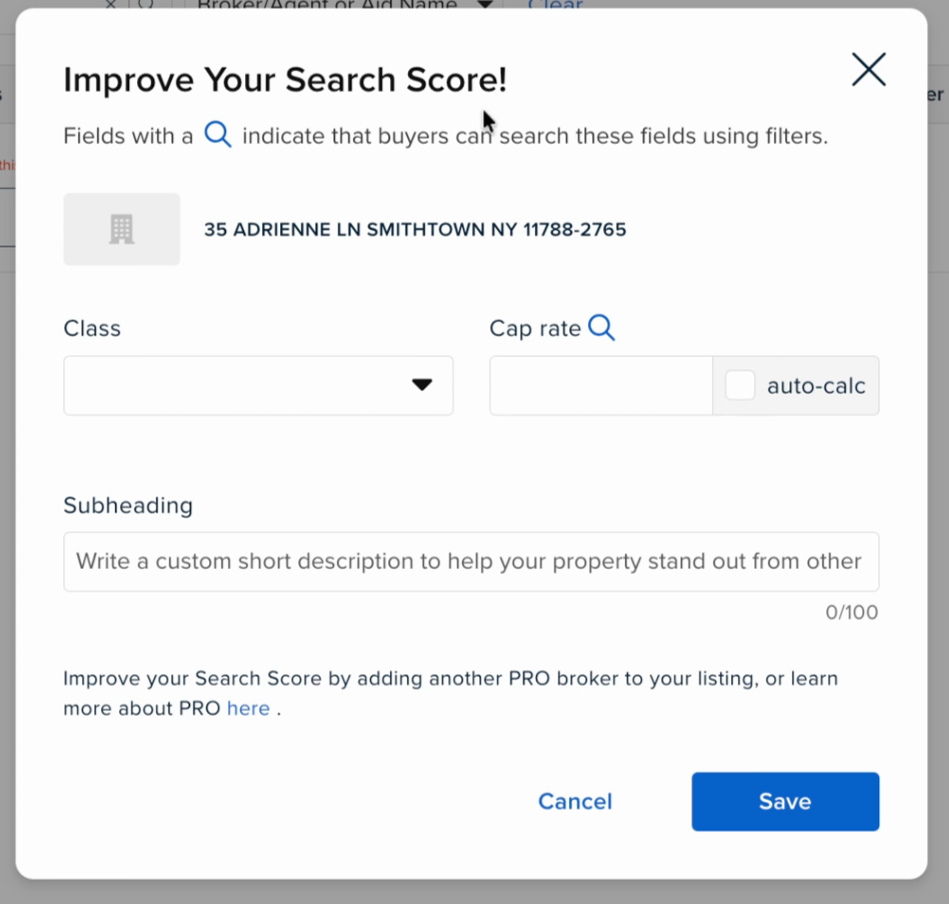
Step 4: Fill in more property details as prompted. You’ll see specific fields highlighted that can help boost your Search Score.
Being a CREXI Pro member automatically increases your Search Score, giving your listings a further boost.
If you are interested in upgrading your account, view our plans here. If you need any further assistance, please reach out to us at support@crexi.com or 888.273.0423.