
Customer ACH Verification Process
Need help verifying your ACH payment?
Find step-by-step instructions below showcasing how to link your bank account and gain access to your PRO or Intelligence membership.
ACH Instructions
ACH Information Entered Via Docusign Process
- Customer Enters their Banking/ACH information via the payment information screen
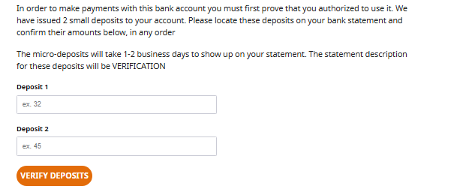
- Two microdeposit credits and One debit (total of the two credits) will appear in their bank account from 1-2 business days when the information is entered
- If the deposits did not appear within the period then ACH information will need to be re-entered to trigger new deposits
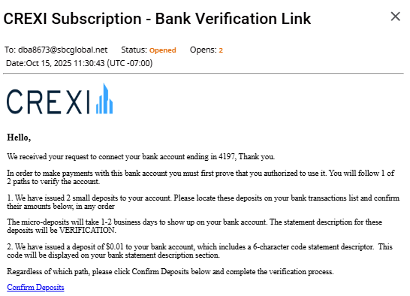
- A verification link will be sent to the customer to confirm their deposits
ACH Information Entered Via Ordway Payment Link
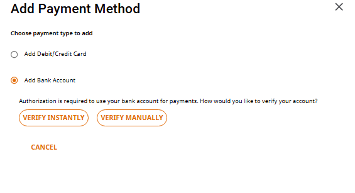
- Customer will have two options to enter ACH information. Instantly or Manually
- Manual process is similar to entering via the Docusign process
- Verify Instantly
-
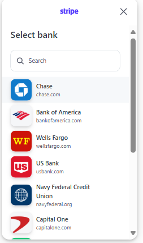
- Customer will be presented with screen to select their bank, after they will connect their bank account
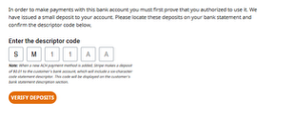
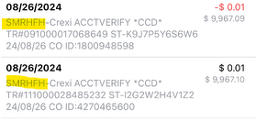
- Once the information is entered two $0.01deposit will be received in their bank account that contacts a six digit starting with “SM”code in which they will need to enter via the verification link sent to them
- Customer will be presented with screen to select their bank, after they will connect their bank account
-
If you need any further assistance, feel free to reach out to us at support@crexi.com or 888.273.0423.