
How to Edit a Lease Listing
Step 1: Click the menu button in the top left corner.

Step 2: Select My Listings from the menu.

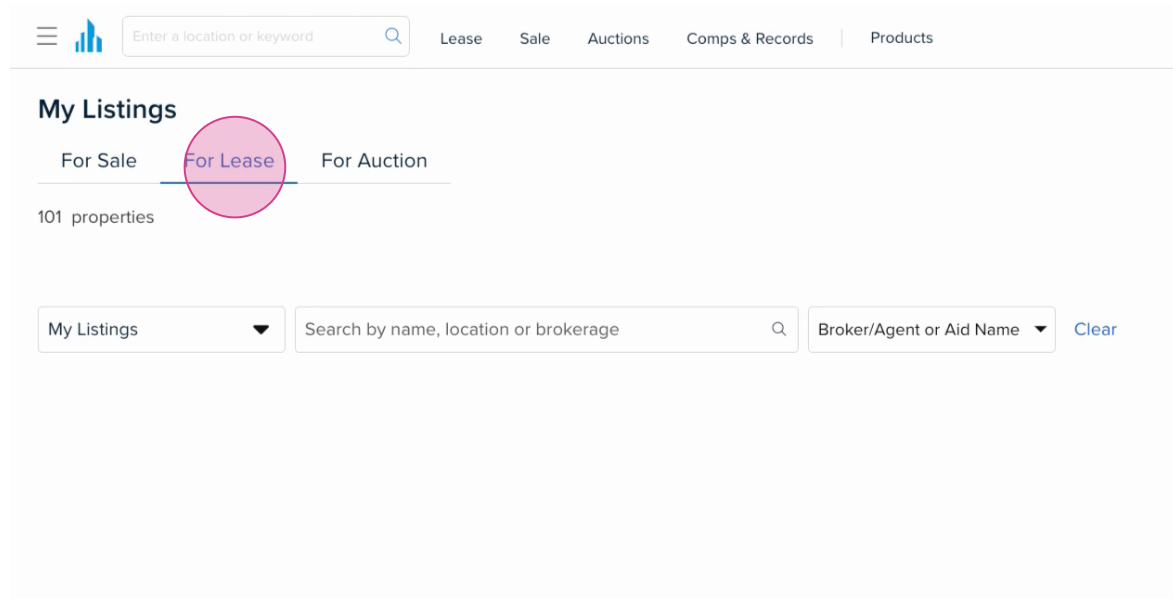
Step 3: Toggle to the For Lease section to view your lease listings.
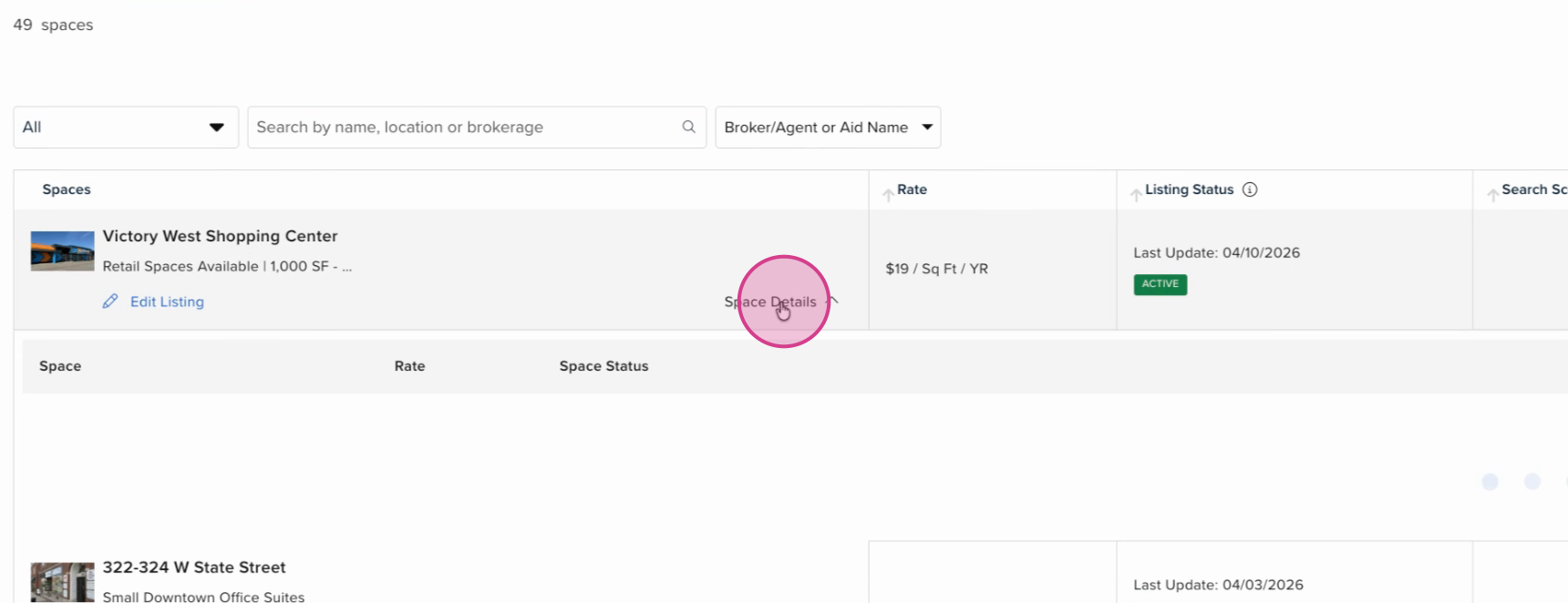
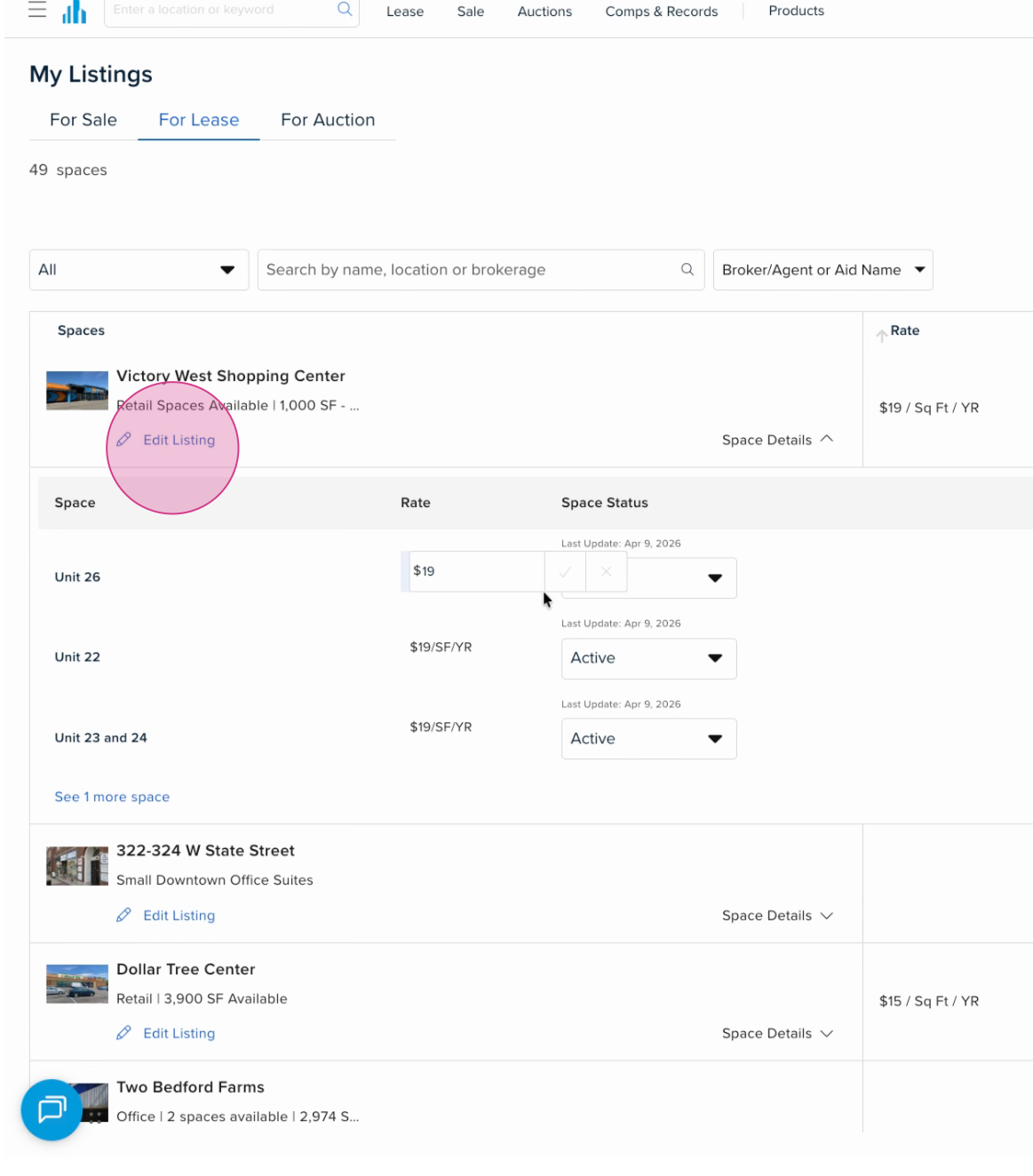
Step 4: To quickly update a specific space, click Space Details within the specific property.
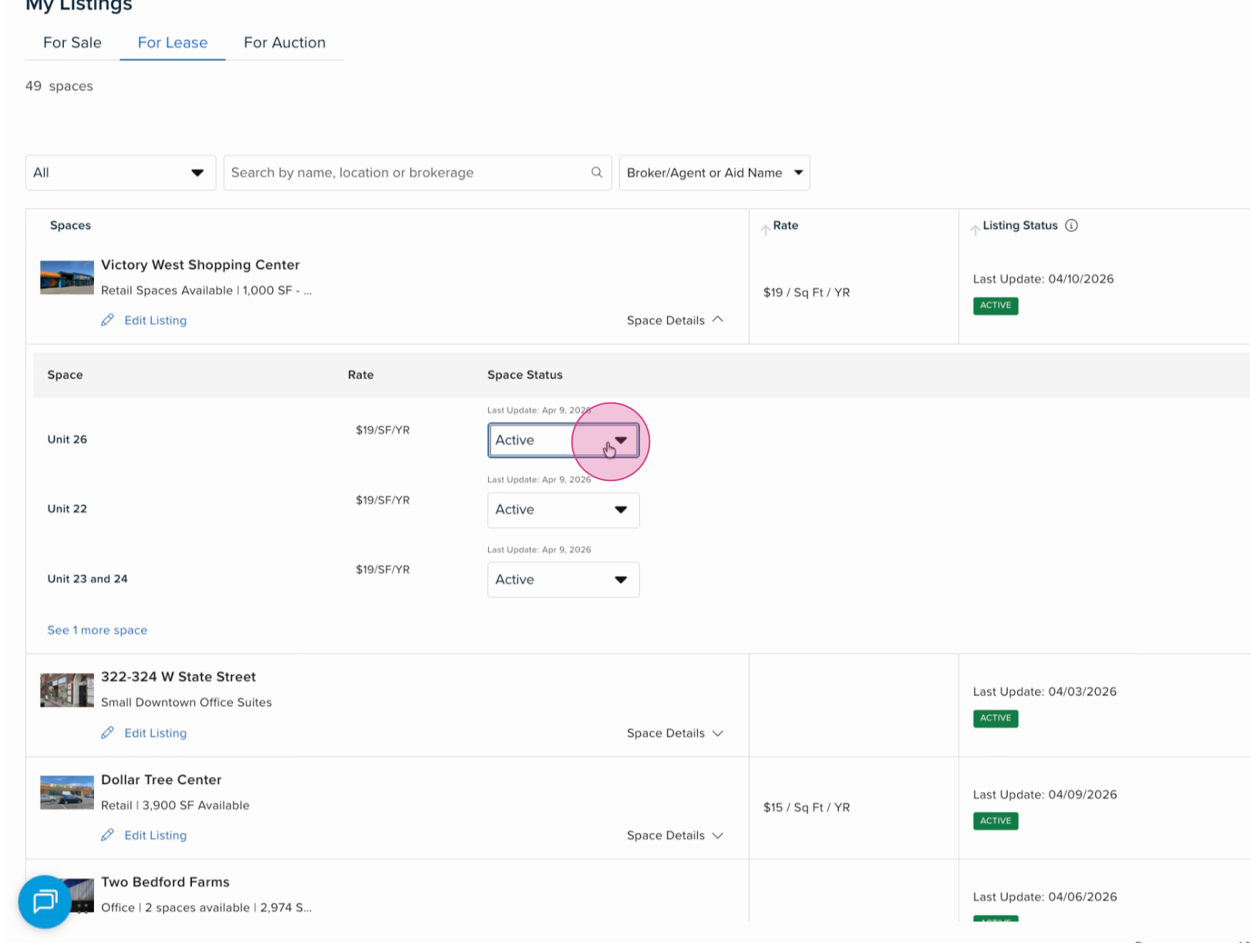
Step 5: Change the space status by selecting the Status dropdown and selecting the new status.
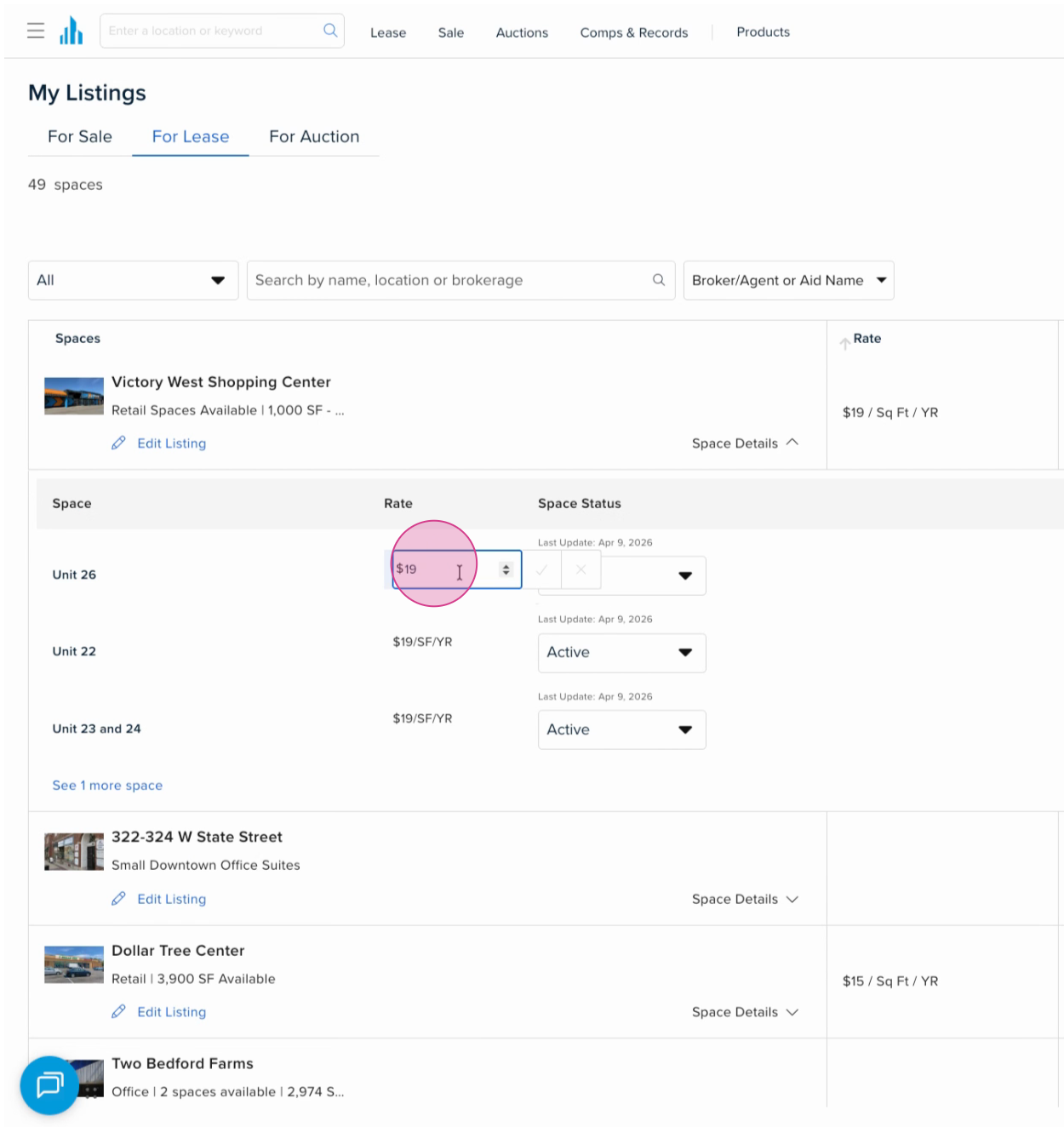
Step 6: Adjust the rate by clicking in the Rate field and entering the new amount.
Step 7: To edit more details, click Edit Listing.
Step 8: Once you’re finished with your updates, click Save in the top right corner to apply updates instantly.

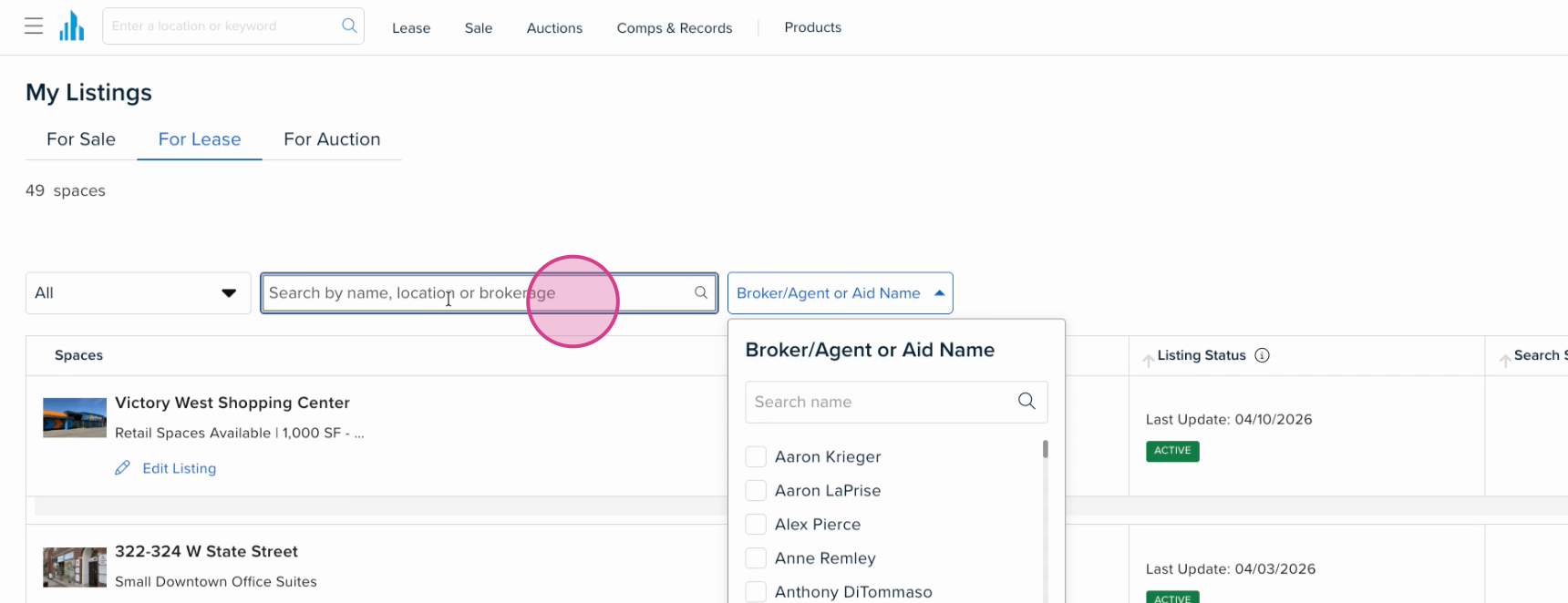
Step 79: Use the filters at the top of the My Listings Dashboard to search listings by broker, agent, or for a specific listing.
You can always email new listings and updates directly to listings@crexi.com. If you need any further assistance, feel free to reach out to us at support@crexi.com or 888.273.0423.