
Quickly update your listings to keep them updated and active on Crexi.
If you don't update your listings for 150 days you will receive an automated email from us prompting you to update said listings. If no updates are made within 30 days from receiving that alert, your listings will automatically be updated to inactive.
To quickly update these listings, go into your My Listings dashboard and simply select "Confirm up to date".
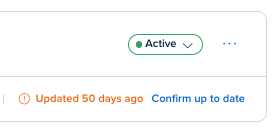
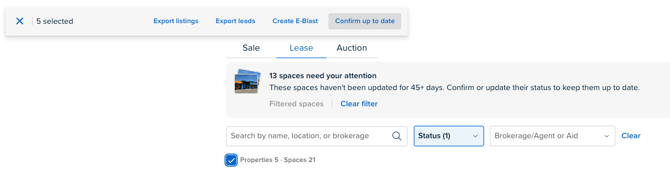
You also have the ability to mass update your listings within your My Listings dashboard.
- Select the check box underneath the search bar
- Select "Confirm up to date"
- The system will select 20 properties by default, be sure to load more properties and select all to update more than 20 properties at one time.
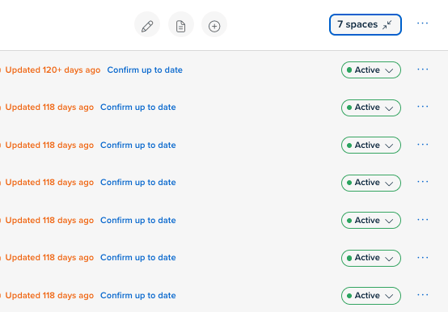
- On the Lease side, you'll have the ability to update spaces individually my expanding the "spaces" section.
You can always email new listings and updates directly to listings@crexi.com.
Feel free to reach out to our support team directly at support@crexi.com or 888.273.0423 if you need further assistance.