
This guide explains how to use Crexi Comps & Records with Dwellsy rental data integration to analyze multifamily properties, review unit mix details, and evaluate rental market insights.
This workflow helps users:
-
Validate market rents
-
Analyze unit mix performance
-
Compare nearby rental comps
-
Support investment underwriting
Step-by-Step Workflow
-
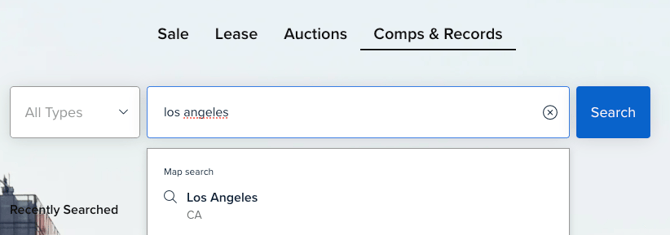
Step 1: Search your desired market in Comps & Records.
-
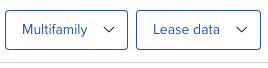
Step 2: Filter the dataset by Multifamily property type and data that contains Lease Data.
-
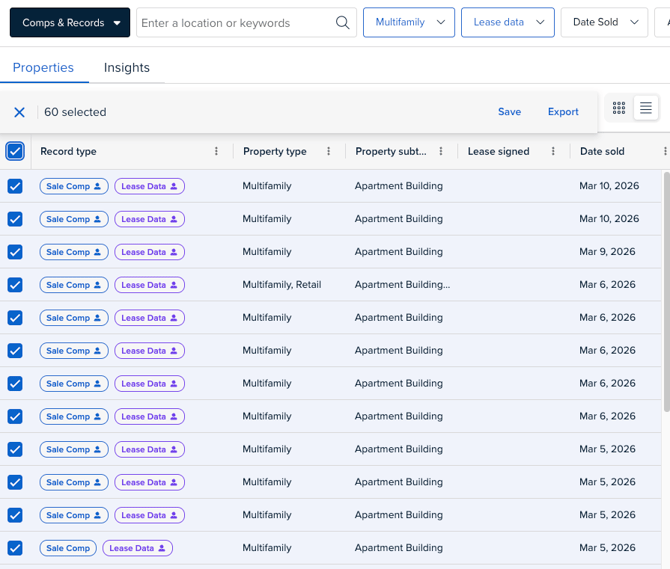
Step 3: Choose a property record from your results.
-
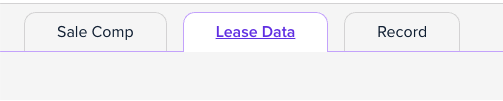
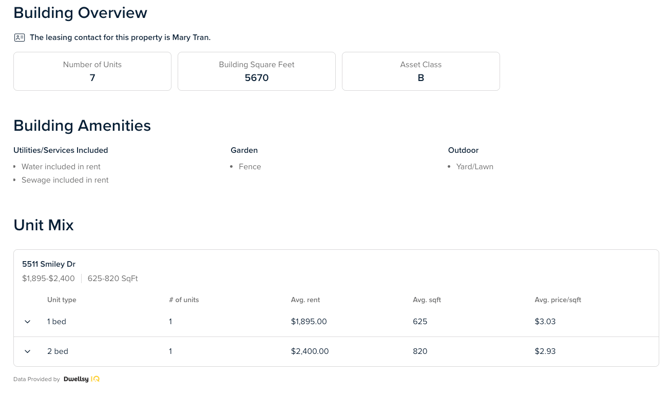
Step 4: Select Lease Data tab on the property record
Analyze:
-
Number of units
-
Building size
-
Asset class
-
Building Amenities
- Unit Mix breakdown
-
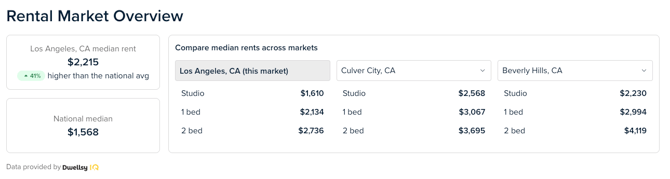
Step 5: Analyze Market Rental Overview
Compare and contrast median rents across markets
-
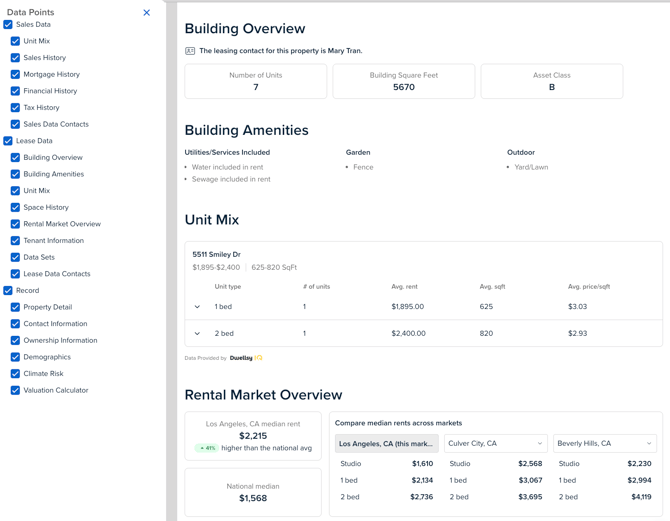
Step 6: Export Property Records (PDF)
-
Select the Print icon on any property record
- Use the customize feature to select/un-select specific data points
- Click Print to print or save the document as a PDF file
-
-
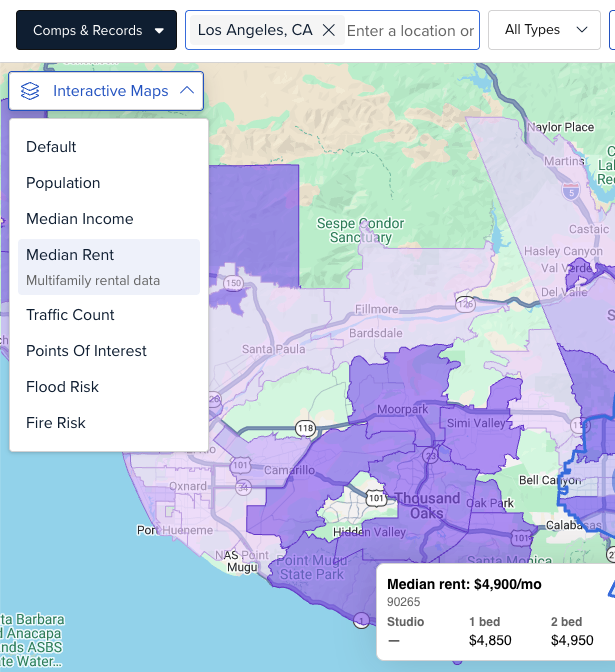
Step 7: Review Median Rental Insights (Map Overlay)
-
Use our Interactive Map Median Rent overlay to analyze Multifamily unit median rent averages
-
-
Step 8: Validate Underwriting
Use the integrated rental data to support:
-
Market rent assumptions
-
Unit-level revenue expectations
-
Acquisition or leasing analysis
If you are interested in upgrading to an Intelligence/Pro account or need any other assistance, feel free to reach out to us directly at support@crexi.com or 888.273.0423.