
Exploring Population Data Step-by-Step:
Step 1: In the search experience, select the Interactive Maps button.
Step 2: Choose Population from the available overlays.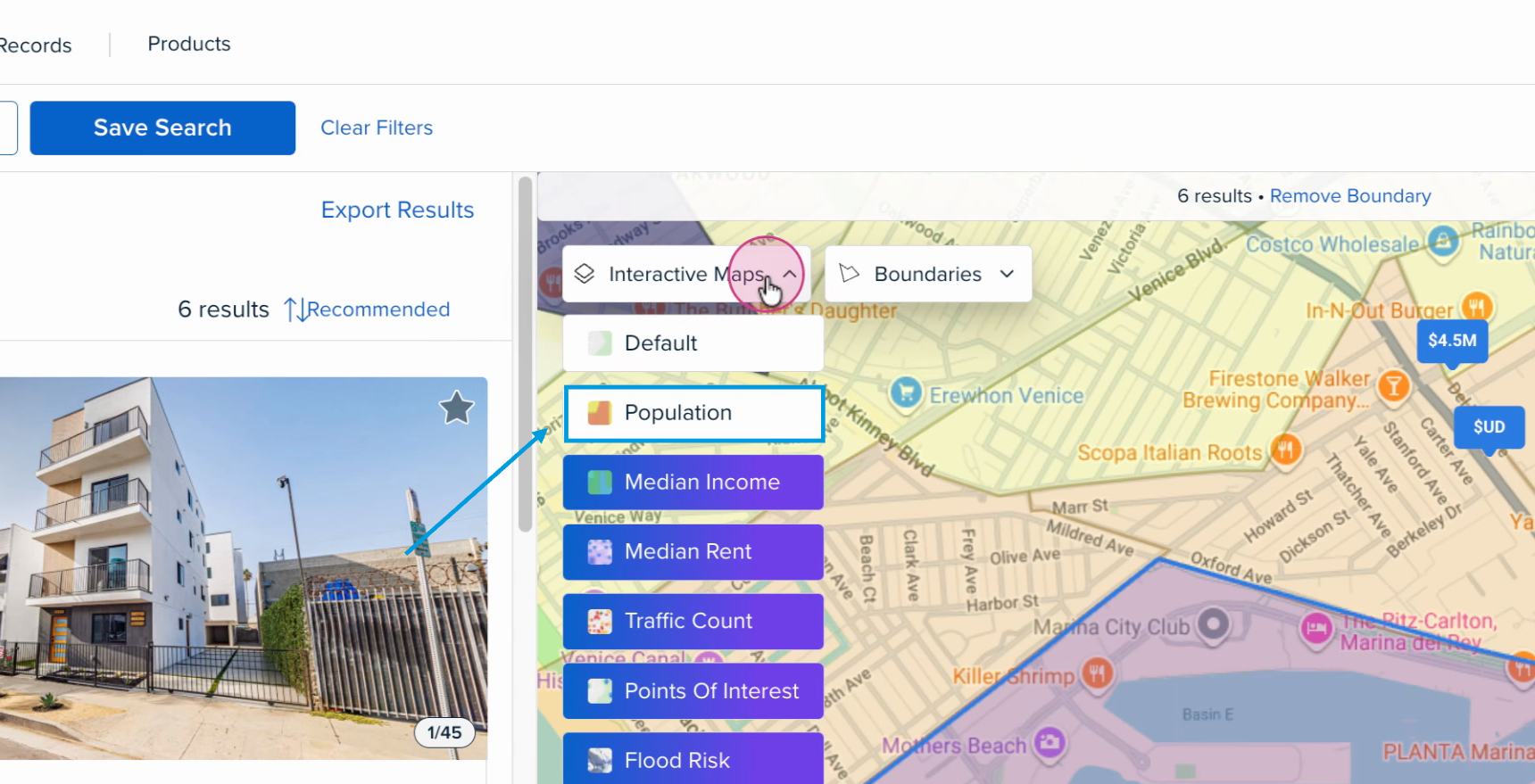
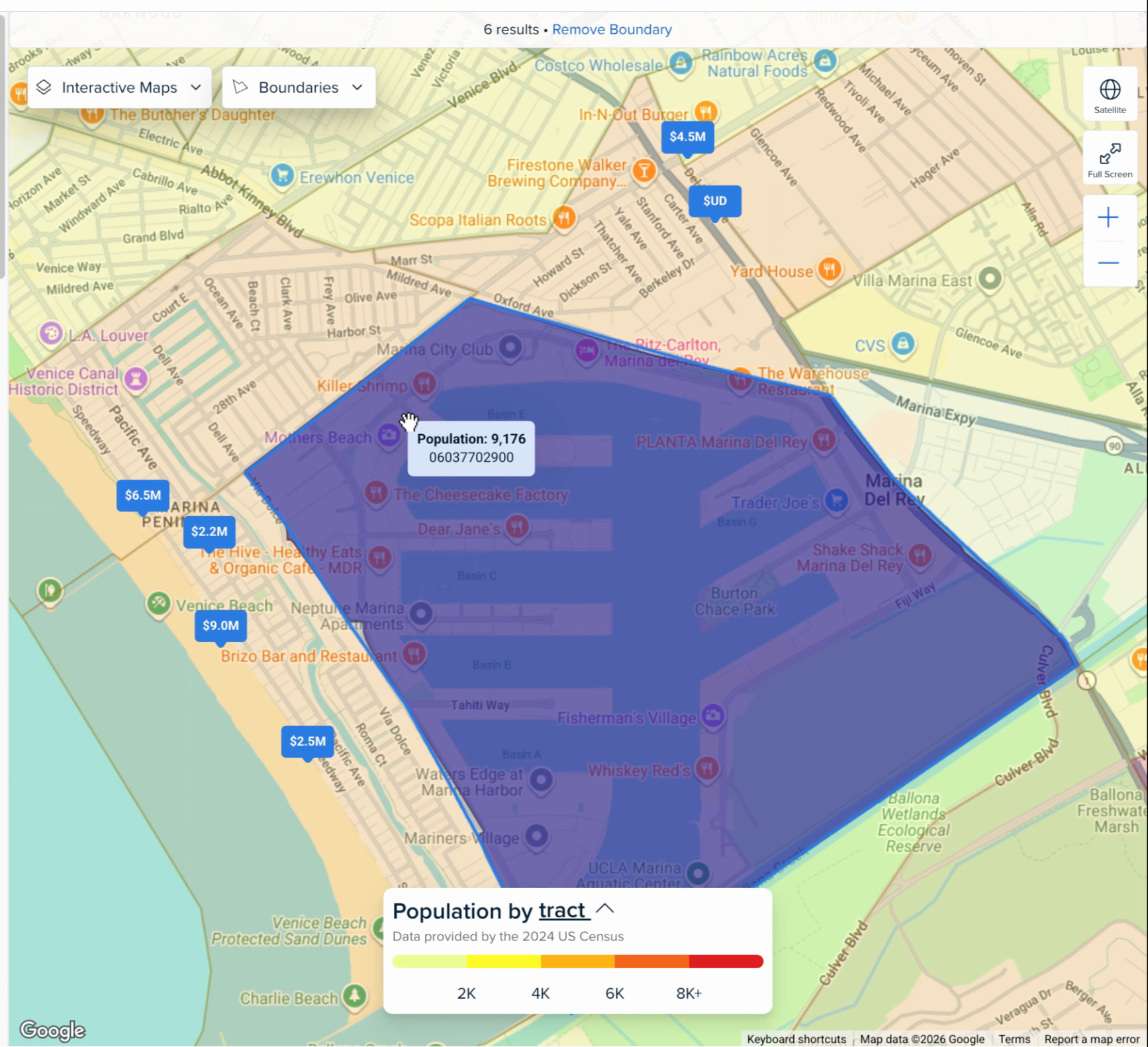
Step 3: Hover over any area to see the population count for that region.
Looking to get set up with Crexi Intelligence? Learn more here and schedule time with one of our Account Executives.
If you need further assistance, don't hesitate to reach out to us at support@crexi.com or 888.273.0423.